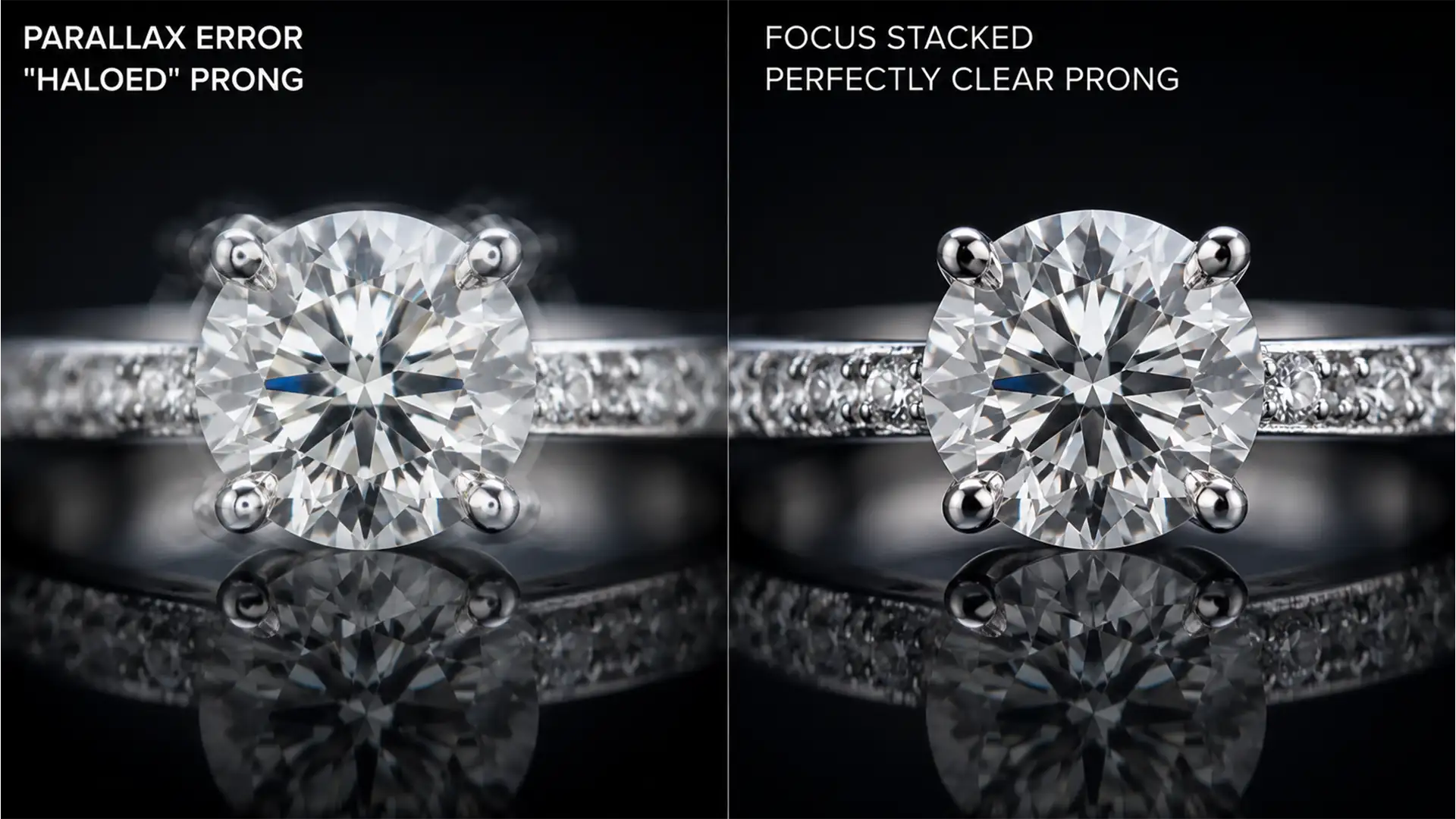

You just spent hours shooting a stunning diamond ring, carefully stepping your focus to capture every facet and maximize your depth of field. But when you run the stack in Photoshop 2024, you are greeted with a retoucher’s nightmare: translucent ghosting and blurry halos around the prongs.
This happens because macro photography magnifies a physical phenomenon called lens breathing, causing slight parallax errors that confuse Photoshop’s blending algorithms. If you are tired of ruining perfect gems with messy edges, you are in the right place. Let’s explore the exact workflow for removing focus stacking halos jewelry 2024 style.
Why Do Focus Stacking Halos Happen in Photoshop 2024?
In Photoshop 2024 (v25.x), focus stacking relies heavily on the Auto-Align and Auto-Blend algorithms. When you shoot macro jewelry, changing the focus distance slightly alters the magnification of the lens—a concept known as lens breathing.
This shift creates a parallax error. When Photoshop attempts to align these slightly mismatched frames, the algorithm struggles with overlapping high-contrast edges. The shiny metal prongs against the bright facets of a gemstone cause the software to misinterpret what should be sharp, resulting in translucent ghosting or halos around the most critical points of your jewelry.
The 2024 Guide to Removing Focus Stacking Halos
To achieve flawless results, you need to step away from fully automated scripts and take manual control over your alignment and blending processes. Here are three proven methods to eliminate halos.
Method 1: The Technical Deep-Dive (Optimizing Alignment)
The best way to fix a halo is to prevent it from forming during the alignment phase. Instead of running the automated stack script, you need to manually control how Photoshop handles the geometry of your macro shots.
- Load your images into a stack and select all layers.
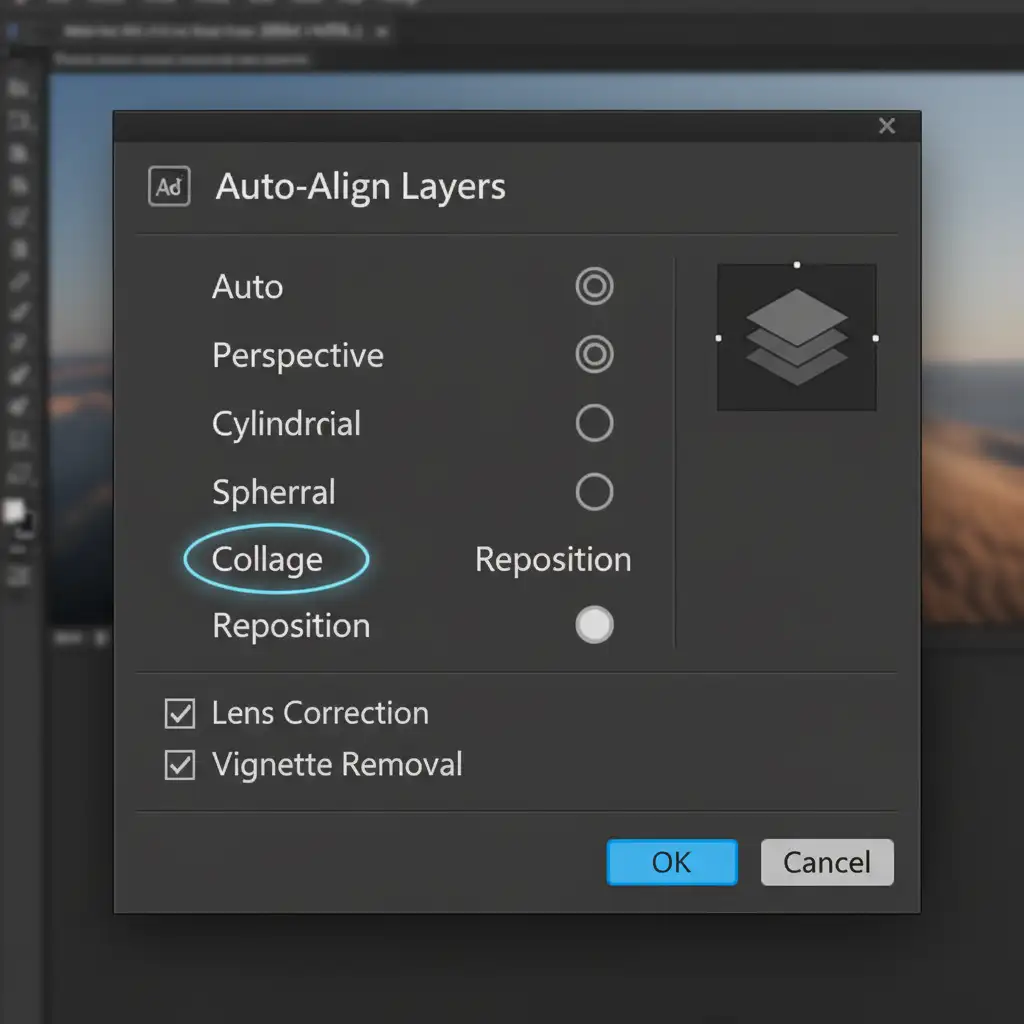
- Navigate to Edit > Auto-Align Layers.
- Crucial Step: Choose Reposition instead of “Auto”. The Auto setting often attempts to warp or distort macro shots to force alignment, which exacerbates edge ghosting. Reposition strictly moves the layers on an X/Y axis.
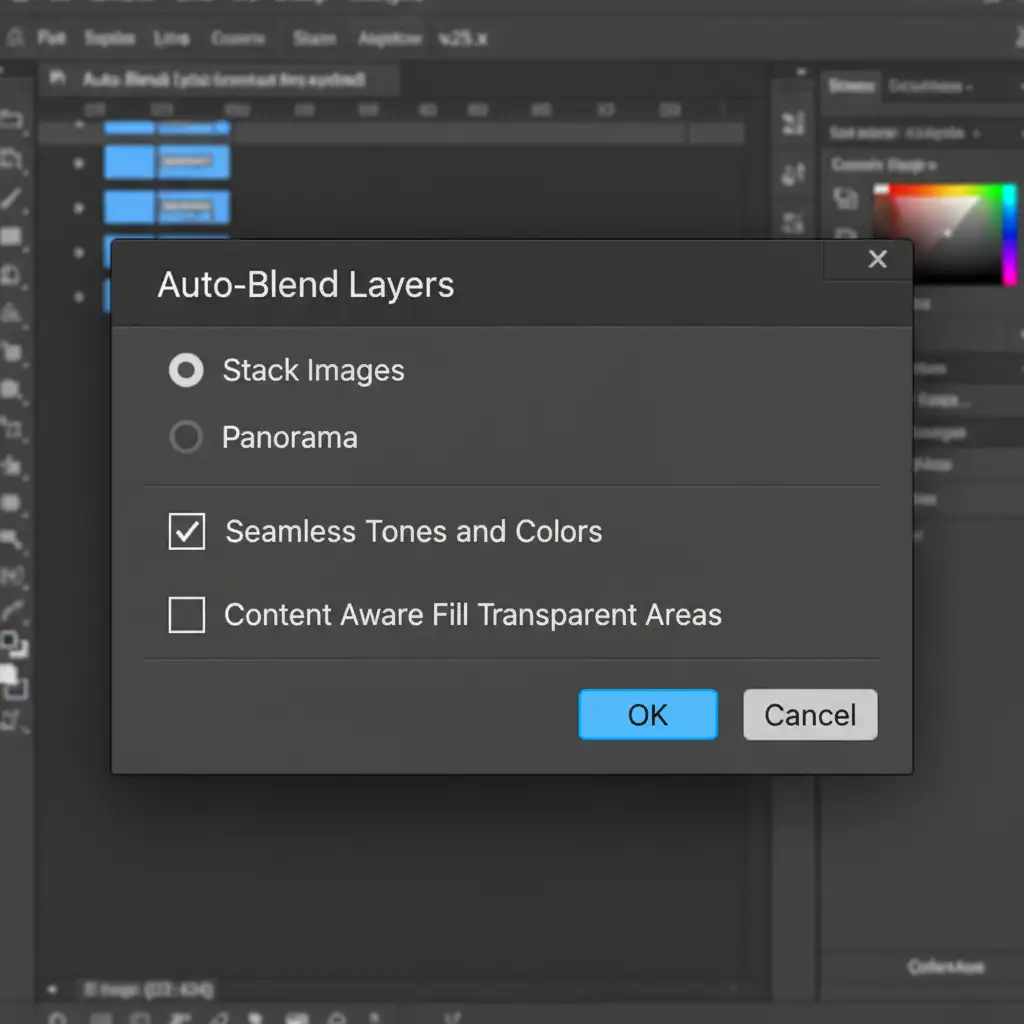
- Once aligned, go to Edit > Auto-Blend Layers. Ensure Seamless Tones and Colors is checked to smooth out lighting variances between the frames.
Method 2: The Pro Workaround (Manual Layer Masking)
Even with optimized alignment, the Auto-Blend algorithm might still generate a minor halo on complex prongs. When this happens, you must intervene using manual layer masking before flattening your image.
- Do not flatten your image after the Auto-Blend process finishes.
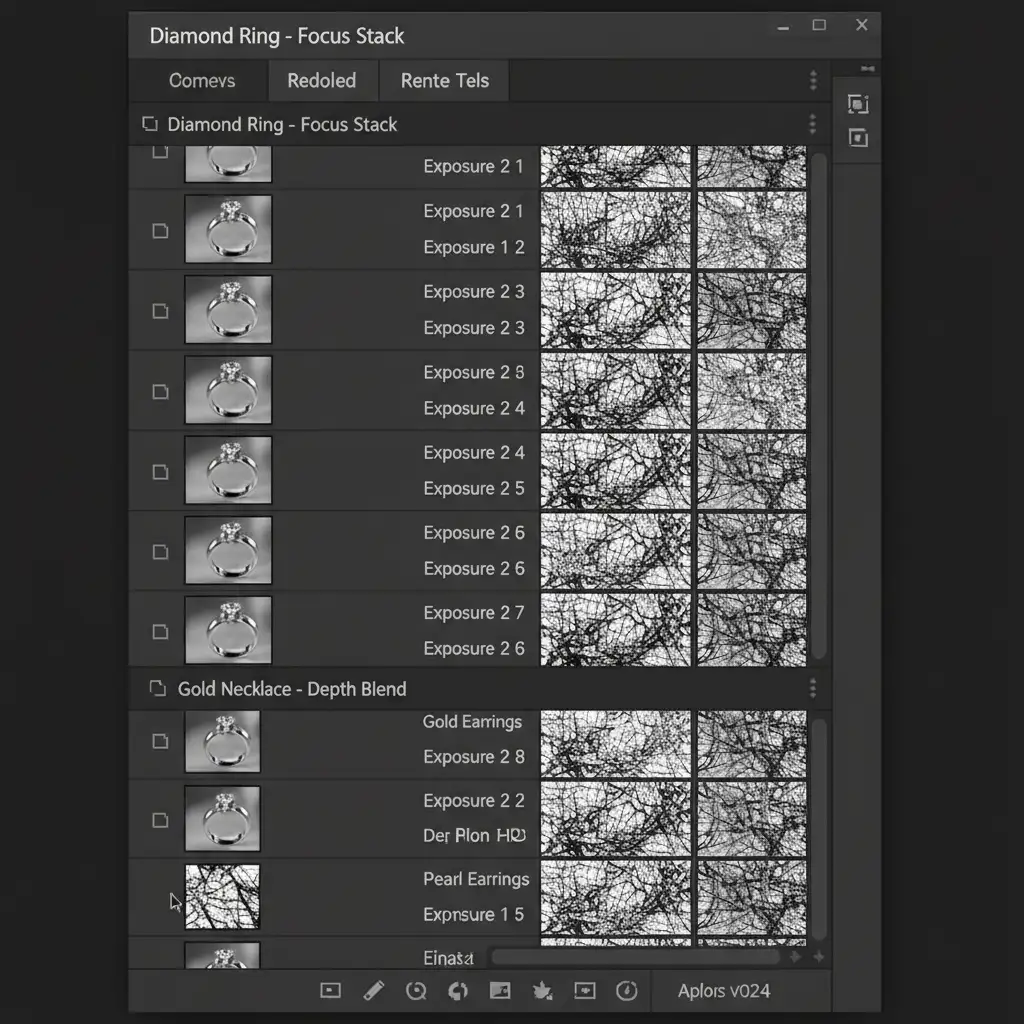
- Look at your Layers panel. You will see that Photoshop has generated complex, black-and-white masks for every layer.
- Locate the specific layer in your stack where the problematic prong is perfectly sharp.
- Click on that layer’s mask, select a soft white brush, and manually paint over the sharp prong. This overrides the messy Auto-Blend mask and forces Photoshop to reveal the clean, sharp edge.
Method 3: The Quick Fix (Clone Stamp Cleanup)
If you have already flattened your image and notice a minor edge halo, you can use the Clone Stamp tool for a rapid cleanup.
- Create a new blank layer at the top of your layer stack.
- Select the Clone Stamp tool (S).
- In the top options bar, set your sample mode to Current and Below.
- Carefully sample a clean background area right next to the halo, and manually paint out the translucent ghosting along the edge of the prong.
Scale Your Jewelry Retouching with Image Work India & Cloud Retouch
Mastering the art of removing focus stacking halos jewelry 2024 style is essential for a high-end portfolio. However, manual Auto-Align repositioning, precision layer mask editing, and clone stamp cleanup take an immense amount of time—especially when you are processing hundreds of macro shots for an e-commerce catalog.
You don’t have to spend hours fighting algorithmic blending errors. Image Work India and Cloud Retouch specialize in flawless, high-volume jewelry retouching. Our team of expert retouchers understands the exact technical requirements to mitigate parallax shifts and deliver pixel-perfect edge cleanup.
Struggling with hundreds of focus-stacked jewelry shots? Reclaim your time and elevate your imagery. Contact Image Work India and Cloud Retouch today for professional jewelry retouching services that make your gems truly shine.




