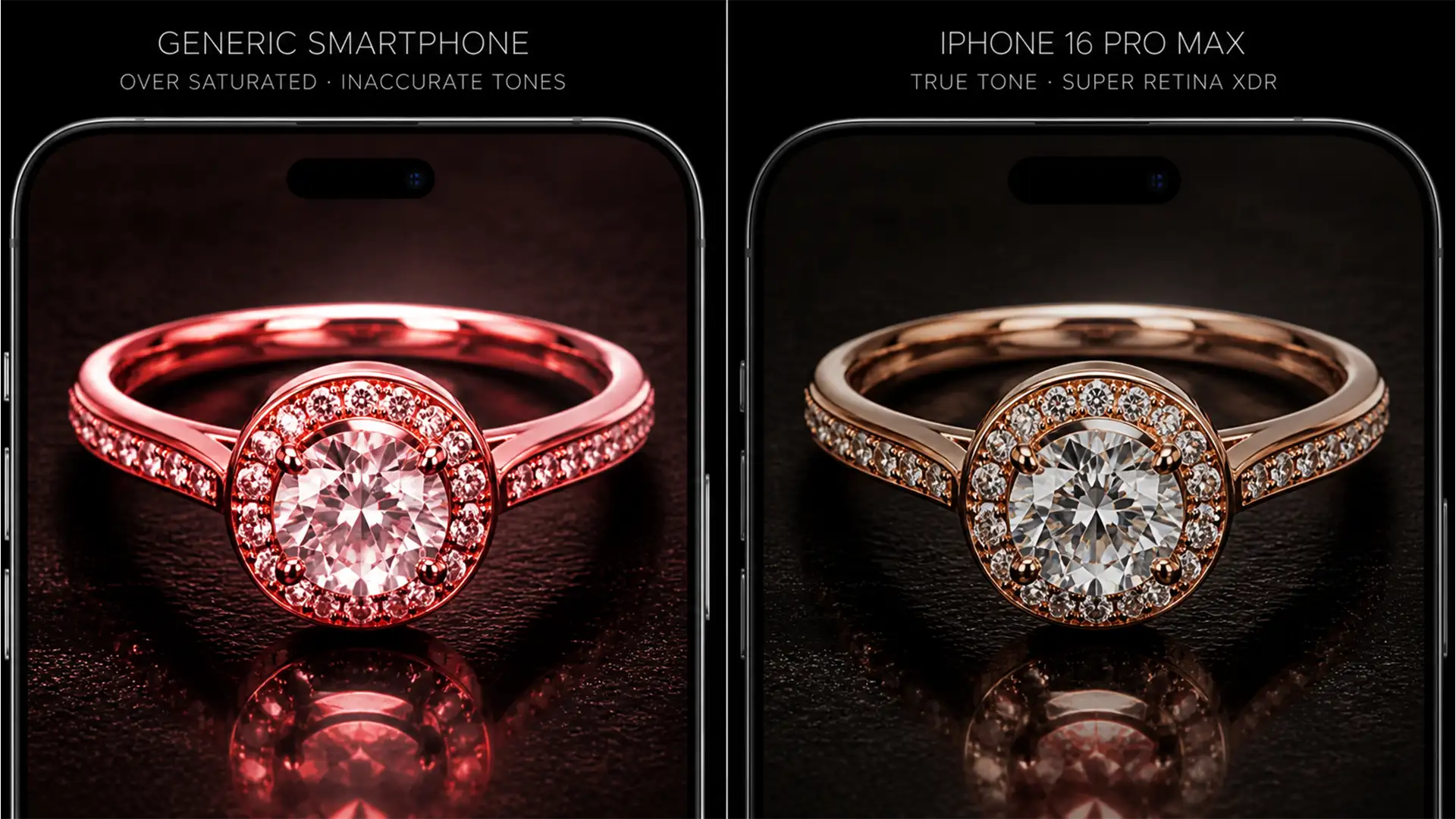

You’ve spent hours perfecting the product photos for a new jewelry line, only to watch the customer return rate skyrocket. The culprit? That stunning rose gold ring looks like elegant luxury on your calibrated studio monitor, but transforms into cheap, brassy copper or neon pink plastic on your customer’s iPhone.
This is the “Rose Gold Problem.” As modern consumers shop primarily on high-nit displays, achieving rose gold consistency for mobile screens has become a critical e-commerce challenge. Let’s fix the gamut clipping and OS-level color shifts that are destroying your jewelry conversion rates.
Why High-Nit Displays Destroy Rose Gold Tones
Modern mobile hardware is objectively brilliant, but it is a nightmare for specific metallic tones. High-nit OLED displays—most notably the iPhone Super Retina XDR and the Samsung Galaxy series—aggressively push the boundaries of the OLED gamut.
The technical pain point occurs when modern mobile operating systems attempt to render standard sRGB files on native Display P3 hardware screens. To compensate for the broader color space and increased brightness, mobile OS auto-brightness curves often oversaturate reds and yellows. For rose gold and copper jewelry, this results in severe gamut clipping. The delicate balance of magenta and yellow that creates “rose gold” is shattered, pushing the metal into a brassy or artificially pink territory.
To solve this in Photoshop v25.x or newer, retouchers must implement strict rendering intent configurations and intelligent color grading workflows.
3 Methods for Rose Gold Consistency on Mobile Screens
Here are the three proven workflows to stabilize your metallic tones and ensure your jewelry looks identical on a calibrated monitor and a consumer’s smartphone.
Method 1: The Soft Proofing Quick Fix
The fastest way to prevent mobile color shifts is to simulate the destination device during your retouching process.
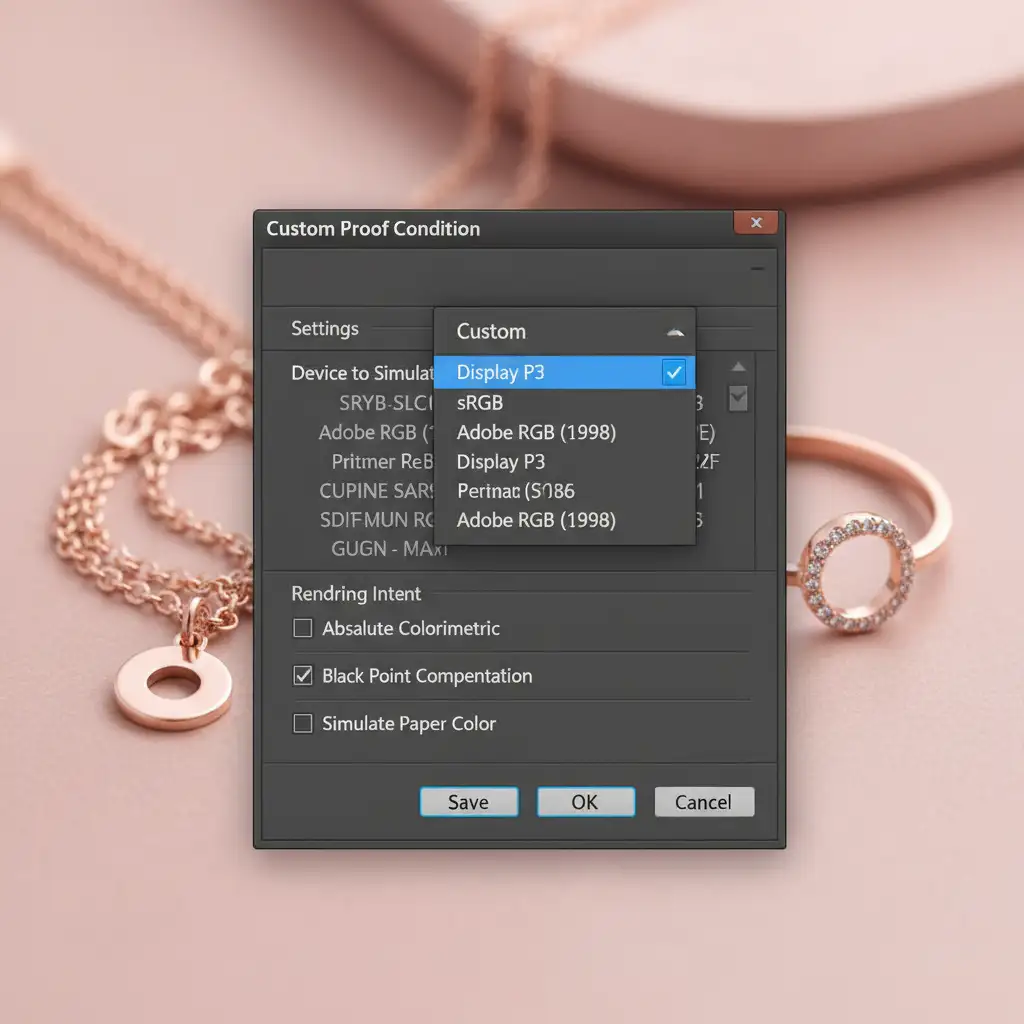
- Navigate to View > Proof Setup > Custom in Photoshop.
- In the “Device to Simulate” dropdown, select a Display P3 or specific mobile profile.
- This allows you to preview the exact color shifts that will occur on a mobile screen.
- Once your adjustments look correct in the soft proof, go to Edit > Convert to Profile to lock in the sRGB color space using the Relative Colorimetric rendering intent.
Method 2: The Pro Workaround (Selective Color & Luminosity)
If converting profiles isn’t enough to tame the brassiness, you need to manually decouple the color data from the metallic specularity.
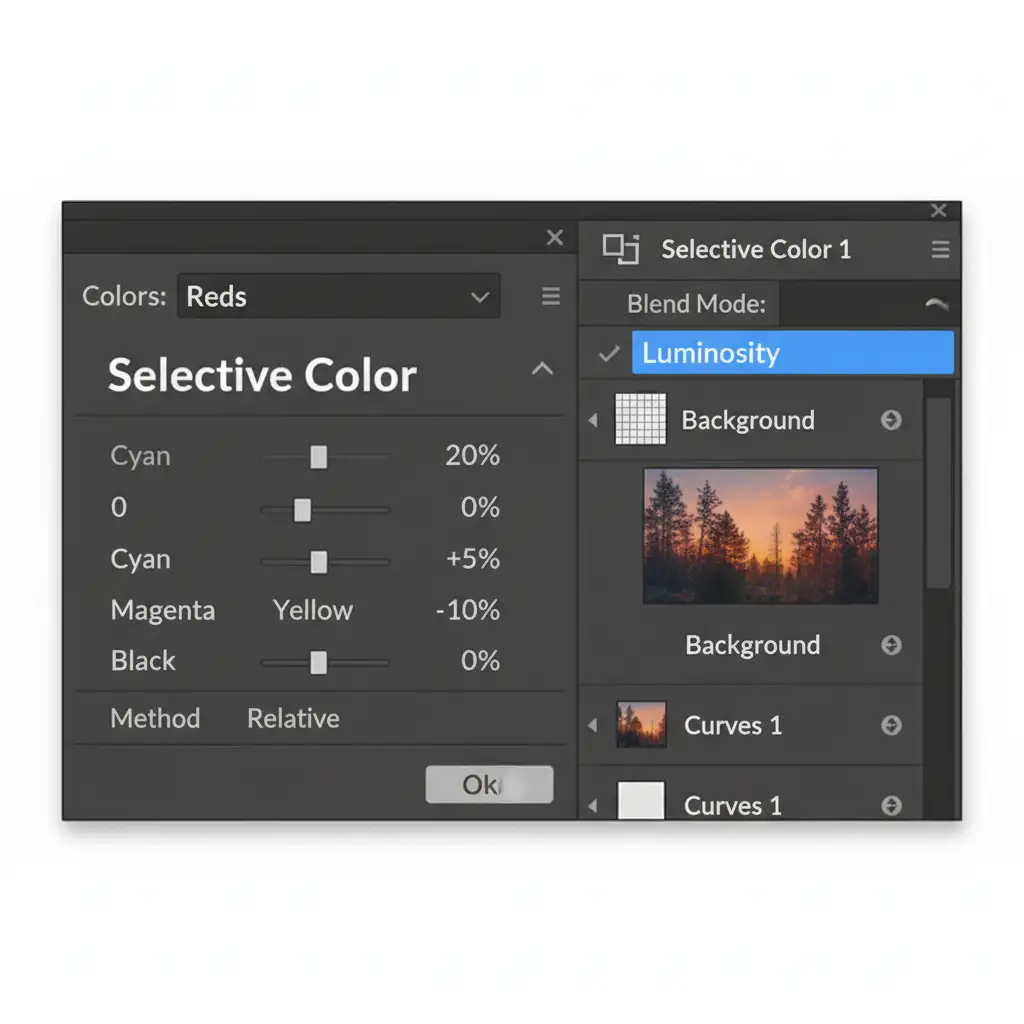
- Add a Selective Color adjustment layer.
- Target the Reds and Yellows channels.
- In the Reds channel, reduce the Yellow slider by 5-10 percent and carefully balance the Magenta slider until the brassiness subsides.
- Crucial Step: Change the adjustment layer’s blend mode to Luminosity.
Using the Luminosity blend mode preserves the metallic specularity and shine without shifting the underlying hue, effectively bypassing the sRGB clamping issues that occur on high-brightness mobile screens.
Method 3: The Technical Deep-Dive for E-Commerce
For high-volume e-commerce studios, you need a bulletproof device emulation workflow to stop OS-level HDR auto-enhancement from ruining your highlights.
Step 1: Workspace Calibration
Ensure your master monitor is calibrated to D65. Work strictly in a 16-bit workspace; this prevents gradient banding on the smooth, reflective surfaces of metallic jewelry when compressing files for the web.
Step 2: Highlight Limiting
High-nit displays automatically boost peak white values (255 RGB), which blows out jewelry highlights and distorts the surrounding rose gold color. Limit your peak specular highlights to 250 RGB using a Levels or Curves adjustment.
Step 3: Proper Export Protocols
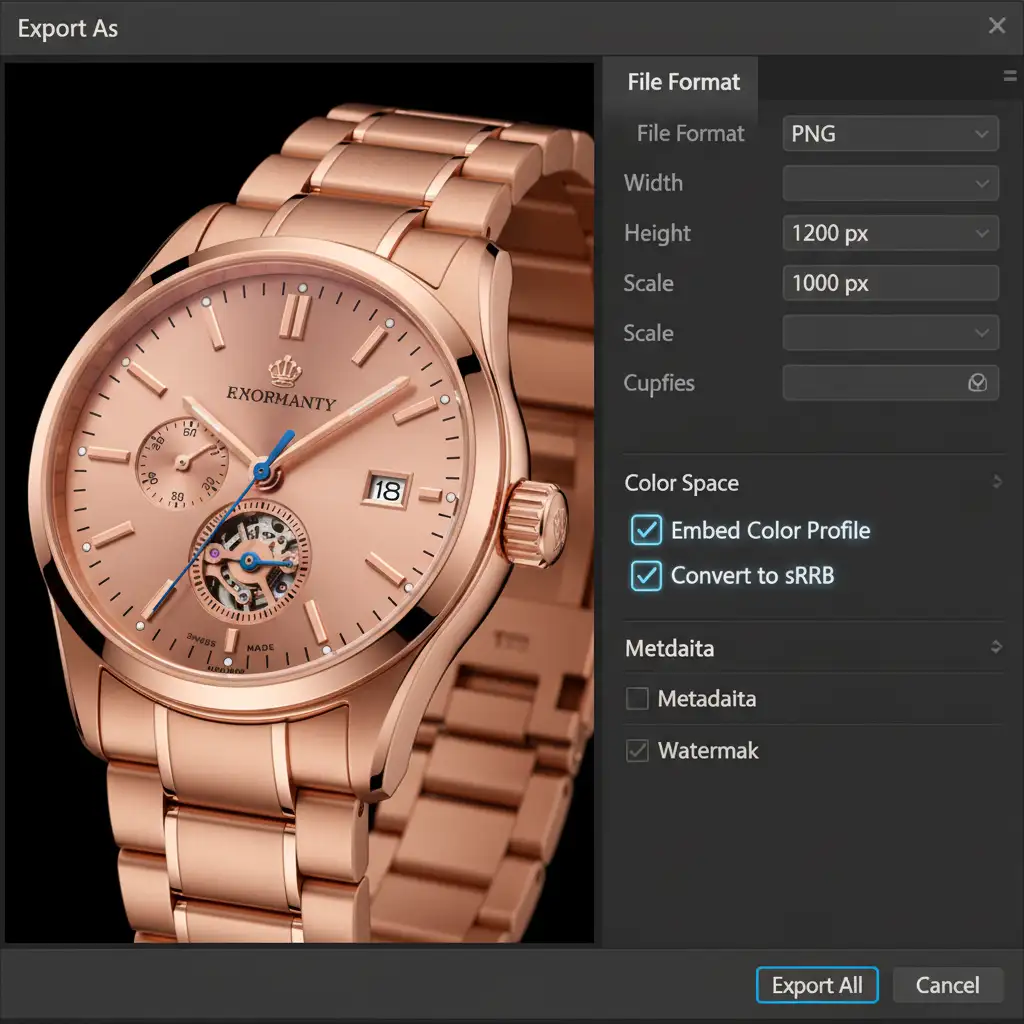
Never rely on default quick exports. Use the legacy Save for Web or the Export As dialog box. You must actively check the Embed Color Profile and Convert to sRGB boxes. If the profile is stripped during export, the mobile browser will guess the color space, guaranteeing a distorted rose gold render.
Stop The Returns: Partner with E-Commerce Retouching Experts
Achieving true rose gold consistency for mobile screens requires a deep understanding of color science, rendering intents, and cross-device display technology. If your studio is struggling with high return rates due to inaccurate product colors, you don’t have to tackle this technical hurdle alone.
At Image Work India and Cloud Retouch, our specialized jewelry retouching teams are experts in advanced color grading and device-specific optimization. We ensure your rose gold, copper, and mixed-metal pieces look flawless, luxurious, and 100% accurate—whether your customer is viewing them on a calibrated desktop monitor or a high-nit iPhone display.
Ready to drop your return rates to zero and elevate your jewelry imagery? Contact Image Work India and Cloud Retouch today for a custom trial and see the difference expert color consistency makes.




