

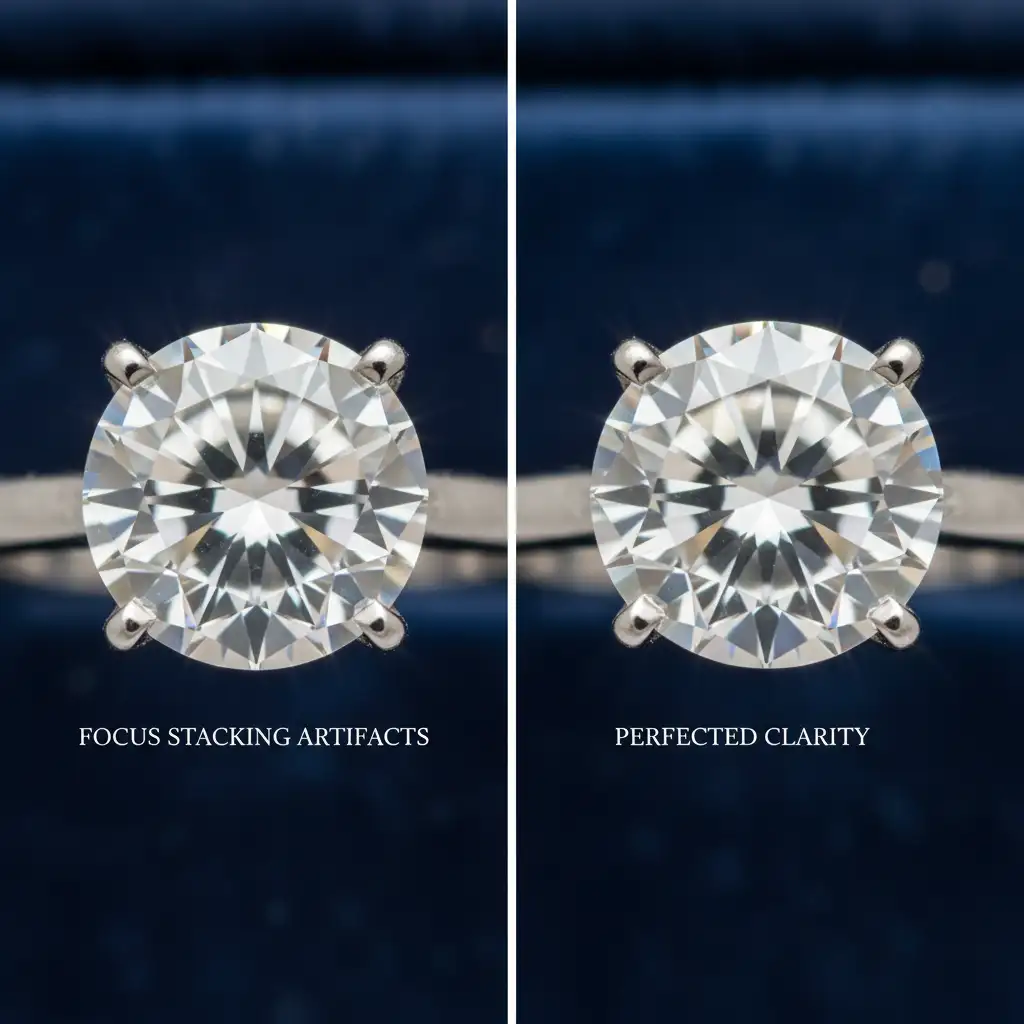
You have spent hours setting up the perfect macro shot of a diamond ring, carefully capturing dozens of slices across the Z-axis. But when you merge them, the result is a disaster. Ghosting artifacts, halos, and blurry metallic prongs ruin the transparent gemstone’s edges.
Why does this happen? In macro jewelry photography, optical refraction and focus breathing confuse even the best stacking algorithms. If you are struggling with focus stacking artifacts in transparent gems, you aren’t alone. Let’s break down exactly why your software is hallucinating pixels and how to fix it for flawless, high-end commercial results.
Why Do Focus Stacking Artifacts Occur in Transparent Gems?
When shooting macro jewelry, achieving a deep depth of field (DoF) requires merging multiple images. However, transparent gemstones present a unique challenge. As your lens shifts focus along the Z-axis alignment, the gem refracts light differently at every step. This optical refraction, combined with focus breathing (where the framing slightly changes as focus shifts), creates inconsistent pixel data.
Software like Adobe Photoshop CC (v25.x) or Helicon Focus relies on edge contrast to determine which parts of an image are in focus. When the algorithm encounters overlapping transparent edges and reflective metallic prongs, it gets confused. The result? Unwanted ghosting artifacts, translucent halos, and sometimes even chromatic aberration around the crown facets.
3 Pro Methods to Eliminate Ghosting and Halos
To rescue your macro photography from rendering errors, you need a mix of software optimization and precise manual intervention. Here are the three best ways to resolve focus stacking artifacts in transparent gems.
Method 1: The Quick Fix – Optimizing Auto-Blend Layers
If you are using Photoshop CC to merge your stack, the default settings might be working against you. The AI attempts to fill in gaps caused by focus breathing, which often leads to smeared pixels around transparent stones.
How to fix it:
- Load your aligned layers into Photoshop.
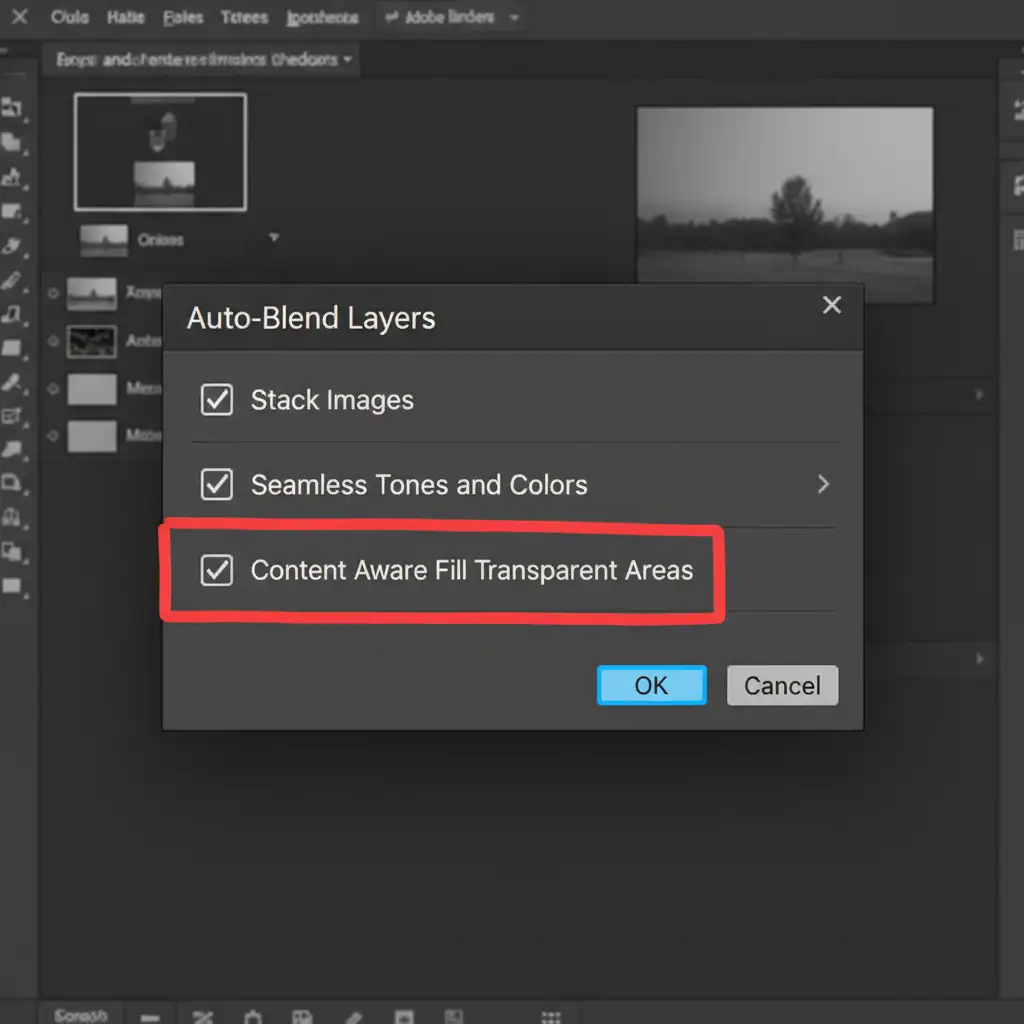
- Navigate to Edit > Auto-Blend Layers.
- Select Stack Images and ensure Seamless Tones and Colors is checked.
- Crucial Step: Uncheck Content Aware Fill Transparent Areas.
Disabling this feature prevents Photoshop from hallucinating pixels at the gem’s delicate edges, drastically reducing ghosting artifacts.
Method 2: The Pro Workaround – Precision Layer Masking
Even with optimized settings, stacking algorithms can still fail on complex metallic prongs and highly refractive facets. The most reliable method used by high-end retouchers is manual layer masking.
The Workflow:
- Complete your automated focus stack.
- Review your original raw files and locate the single frame where the gemstone’s crown and front prongs are in perfect, crisp focus.
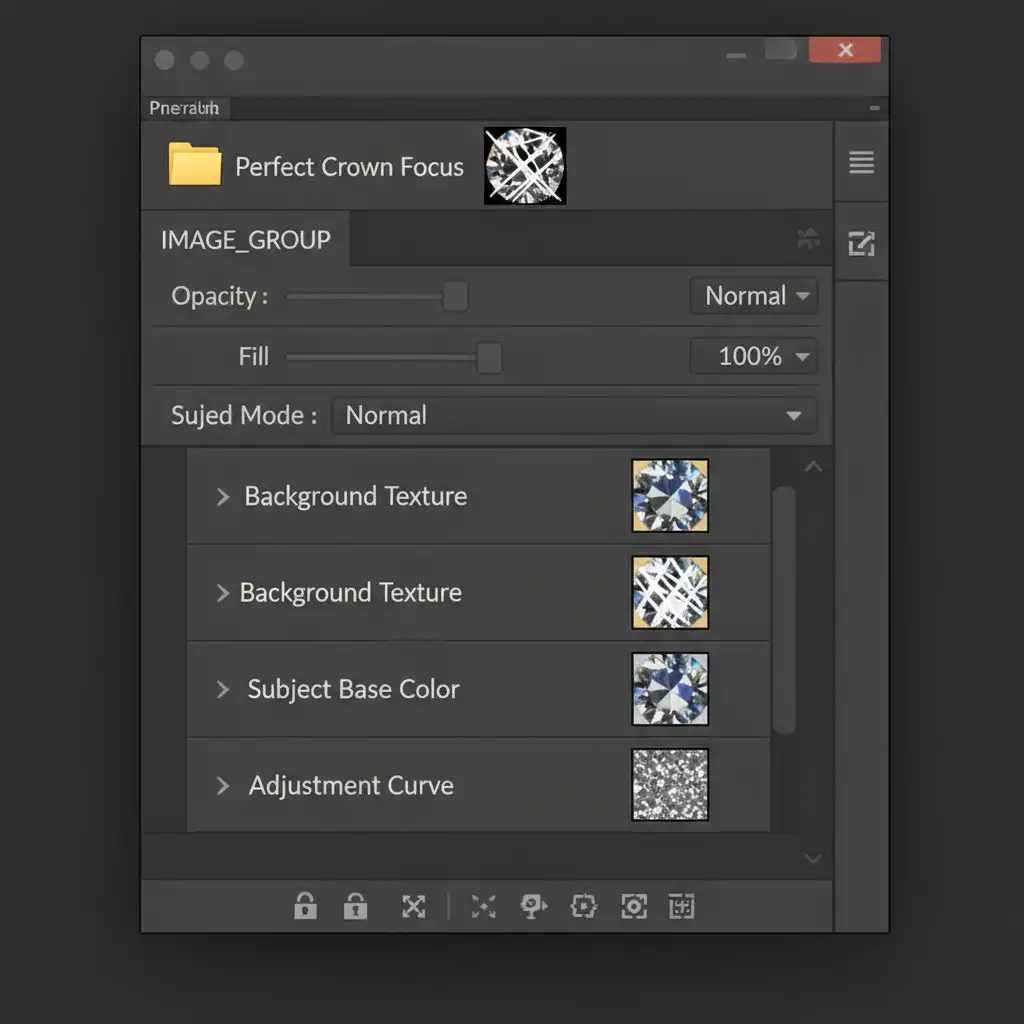
- Place this single “hero” shot on top of your merged stack in the Layers panel.
- Add a black Layer Mask to hide the layer completely.
- Select a soft white brush with low flow, and manually paint over the crown facets and prongs to reveal the crisp details, effectively overriding the auto-blended ghosting beneath it.
Method 3: The Technical Deep-Dive – Fixing the Capture Phase
The best way to fix software artifacts is to prevent them in the camera. If your input data is flawed, your output will be messy.
- Use an Automated Macro Rail: Manual focusing introduces micro-vibrations and inconsistent stepping. An automated macro rail ensures highly overlapping, mathematically precise steps across the Z-axis alignment. This gives the stacking software consistent pixel data to analyze.
- Apply Cross-Polarization Lighting: Transparent gems create harsh, shifting highlights that confuse algorithms. By placing a polarizing film over your strobe and a circular polarizer on your lens (cross-polarization), you can cut down extreme refractive highlights. This stabilizes the visual data of the gemstone across the entire stack.
Streamline Your Macro Jewelry Photography Workflow
Fixing focus stacking artifacts in transparent gems requires immense patience, technical skill, and hours of tedious layer masking. When you are managing a high-volume e-commerce shoot or a demanding commercial jewelry campaign, you simply don’t have time to paint masks over every single metallic prong.
Struggling with complex jewelry edits? Let the high-end retouching experts at Image Work India and Cloud Retouch perfect your macro photography.
Our specialized teams understand the nuances of optical refraction, depth of field, and advanced layer masking. From eliminating ghosting artifacts to executing flawless focus stacks and color correction, we deliver pixel-perfect jewelry images that drive sales.
[Contact Image Work India and Cloud Retouch today] to elevate your jewelry photography and scale your post-production workflow effortlessly.




