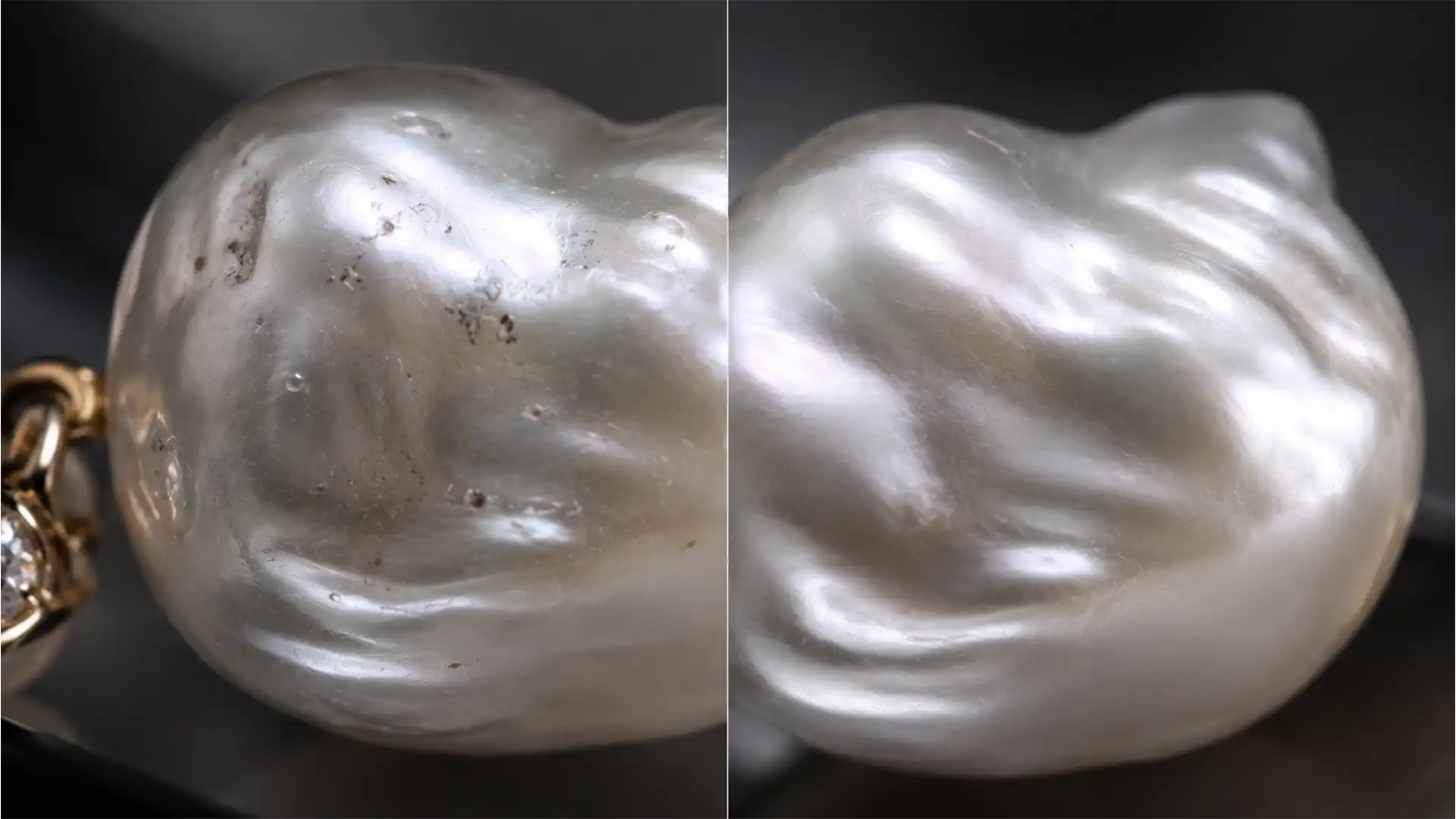

You’ve just spent hours shooting a stunning campaign featuring 2026’s hottest jewelry trend: organic baroque pearls. But the moment you apply standard healing tools in Photoshop v25.x, disaster strikes. The unique nacre texture vanishes, leaving behind a cheap, plastic-looking sphere.
When it comes to retouching baroque pearls without losing organic texture, automated AI tools and basic surface blur are your worst enemies. Generative Remove and standard healing algorithms misinterpret natural ridges and organic dimples as scratches or defects. Because these tools aggressively blend luminosity, they destroy the micro-contrast that gives baroque pearls their luxury appeal.
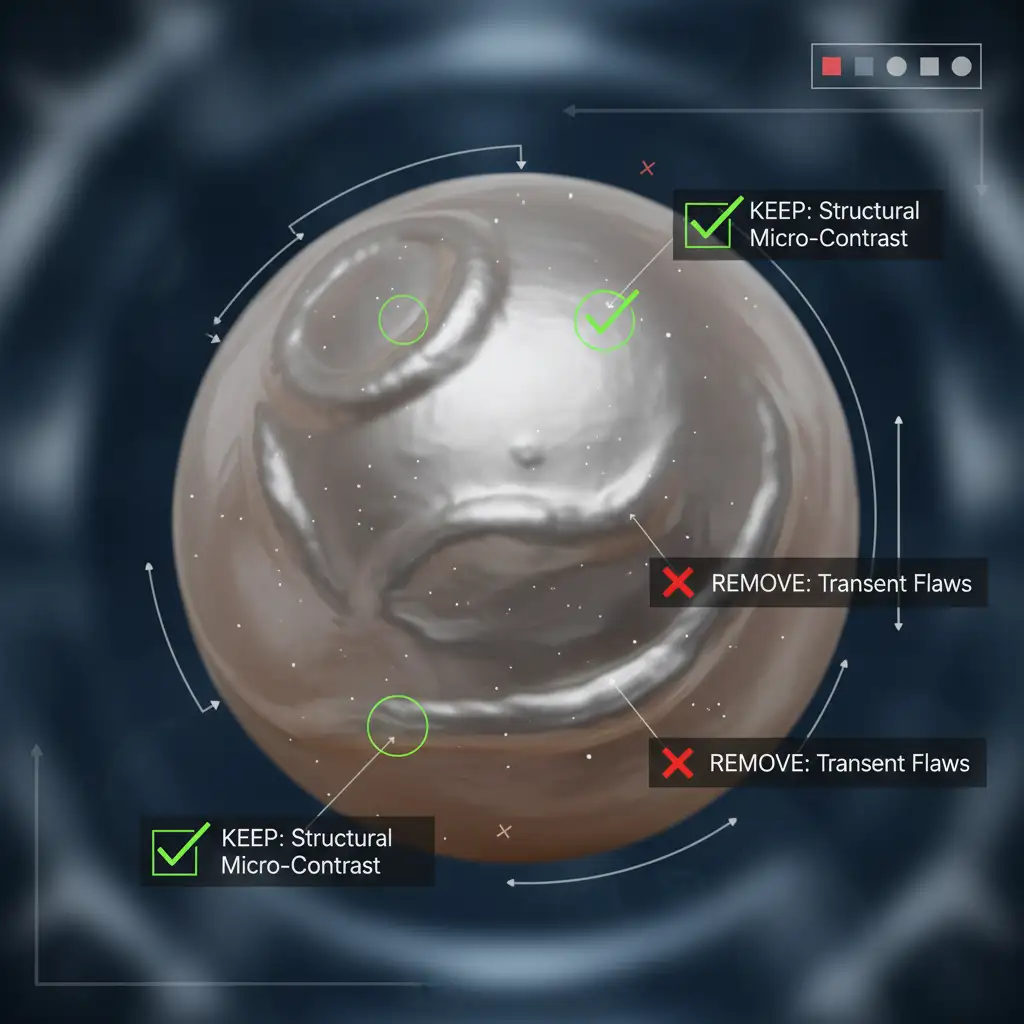
To maintain the soul of your jewelry imagery, you must separate transient flaws (like studio dust and sensor spots) from permanent structural texture. Here is the definitive, non-destructive editing workflow to clean organic pearls and hammered metals flawlessly.
Why Standard Retouching Fails on Organic Textures
In modern versions of Photoshop, standard 2-layer frequency separation is often the go-to for skin and product retouching. However, on baroque pearls, this method flattens organic bumps. The algorithm aggressively averages out the light and dark values of the pearl’s ridges, effectively erasing its defining characteristics.
To fix this, we need to completely isolate the dust from the structural shadows.
Method A: The Quick Fix (Healing Brush Replace Mode)
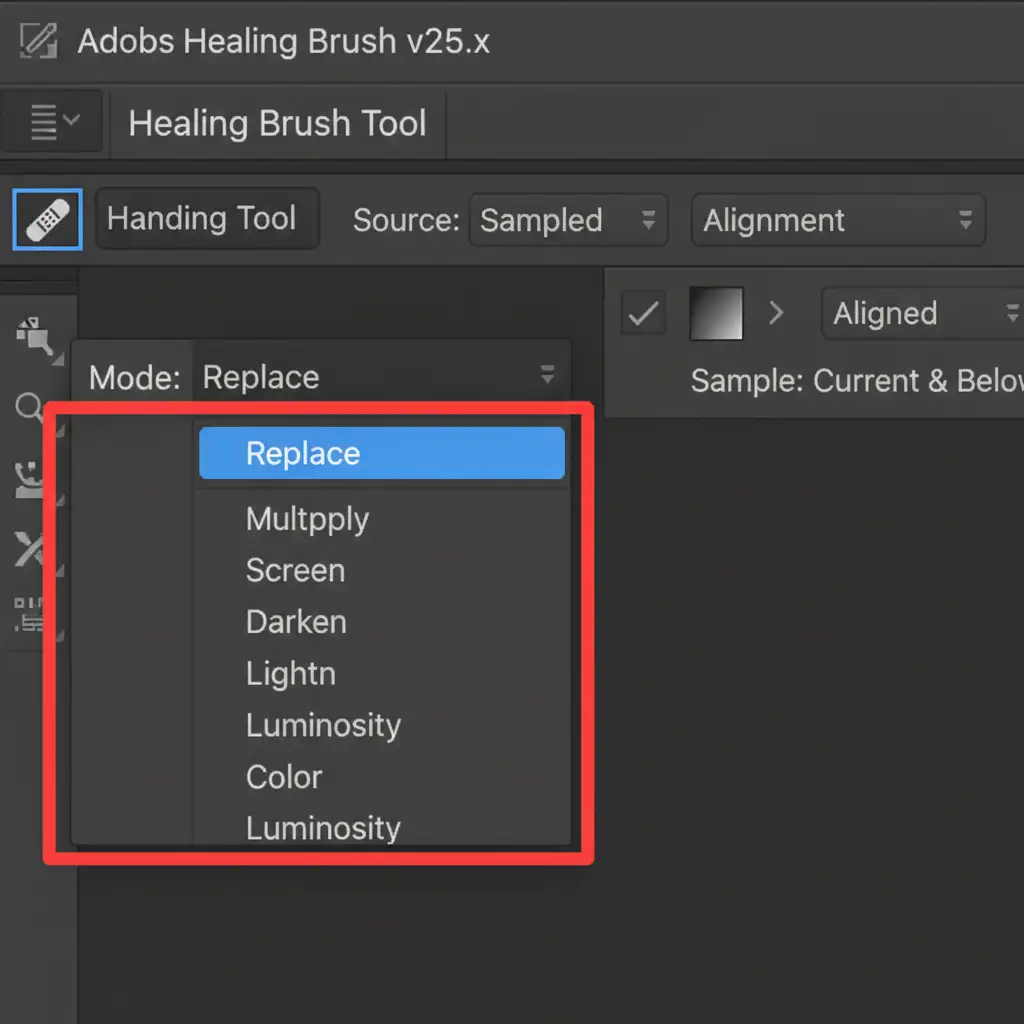
If you are dealing with minor dust and need a rapid solution, the standard Healing Brush Tool can work—but only if you change its core behavior.
By default, the Healing Brush operates in ‘Normal’ mode, which attempts to blend the luminosity and color of your source point with your destination point. This is what causes the dreaded “smudged” look on nacre texture.
How to Execute:
- Select the Healing Brush Tool (J).
- Look at the top options bar.
- Change the Blending Mode drop-down from ‘Normal’ to ‘Replace’.
- Stamp clean texture directly over the dust.
The healing brush replace mode forces Photoshop to stamp the exact texture over the blemish without attempting to calculate and blend the underlying luminosity, preserving the pearl’s organic bumps.
Method B: The Pro Workaround (3-Layer Frequency Separation)
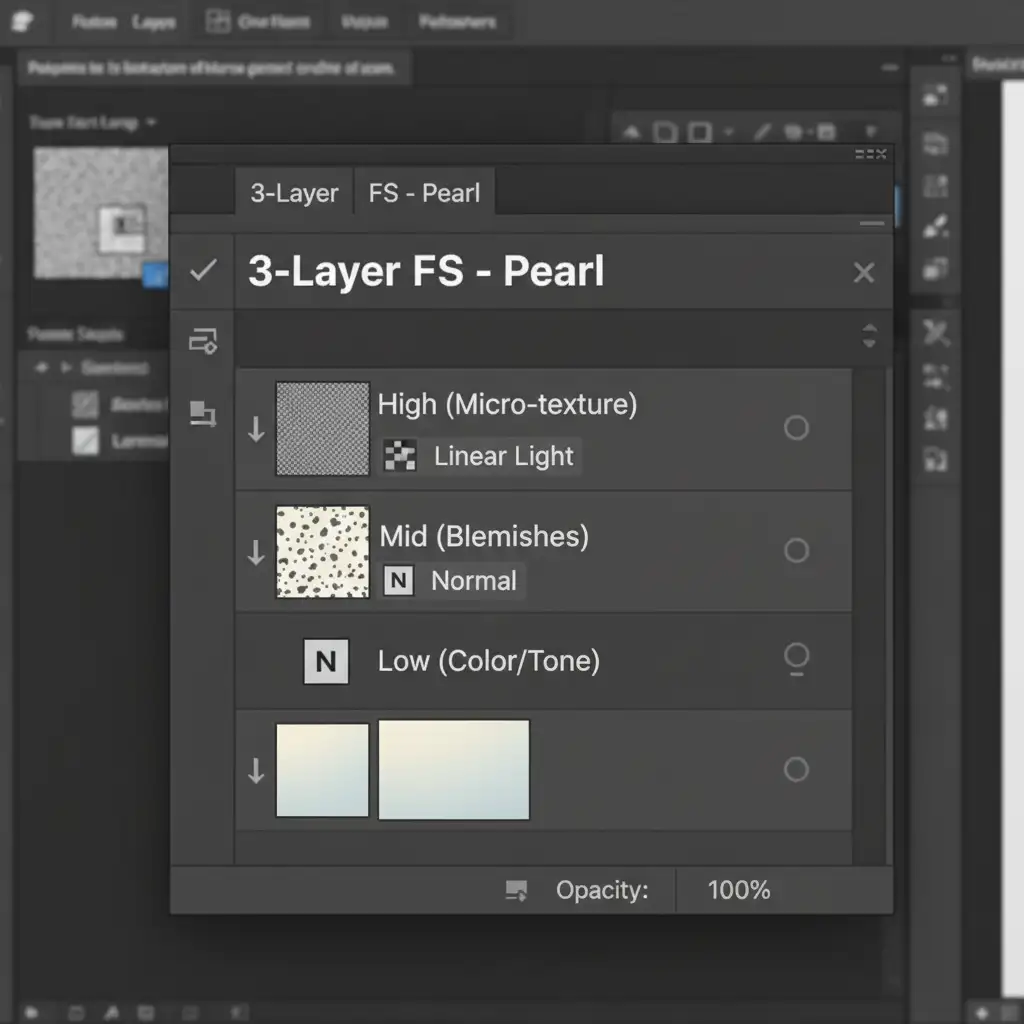
For commercial jewelry campaigns, a standard 2-layer setup won’t cut it. To truly master retouching baroque pearls without losing organic texture, you need a 3-Layer Frequency Separation technique. This splits your image data into three distinct bands, giving you granular control over blemishes without touching the high-pass filter data.
The 3-Layer Setup:
- Low Layer (Color & Tone): Contains the soft color transitions and base luminosity.
- Mid Layer (Blemishes/Dust): Contains the mid-frequency details like studio dust and superficial scratches.
- High Layer (Micro-texture): Contains the ultra-fine high-frequency nacre ridges and sharp specular highlights.
The Workflow:
Once your layers are separated, select your Clone Stamp tool and work strictly on the Mid layer. By removing the distracting spots here, you leave the deep structural ridges on the High layer completely untouched. This guarantees your pearl retains its 2026 luxury organic appeal.
Method C: The Technical Deep-Dive (Blend-If & Luminosity Masking)
When dealing with deep organic shadow ridges that give baroque pearls their unique shape, dodging and burning can easily bleed into areas you want to protect. To prevent this, professionals use Blend-If sliders paired with luminosity masking.
Protecting Shadows with Blend-If:
- Create a new layer for your dodging/burning or selective contrast adjustments.
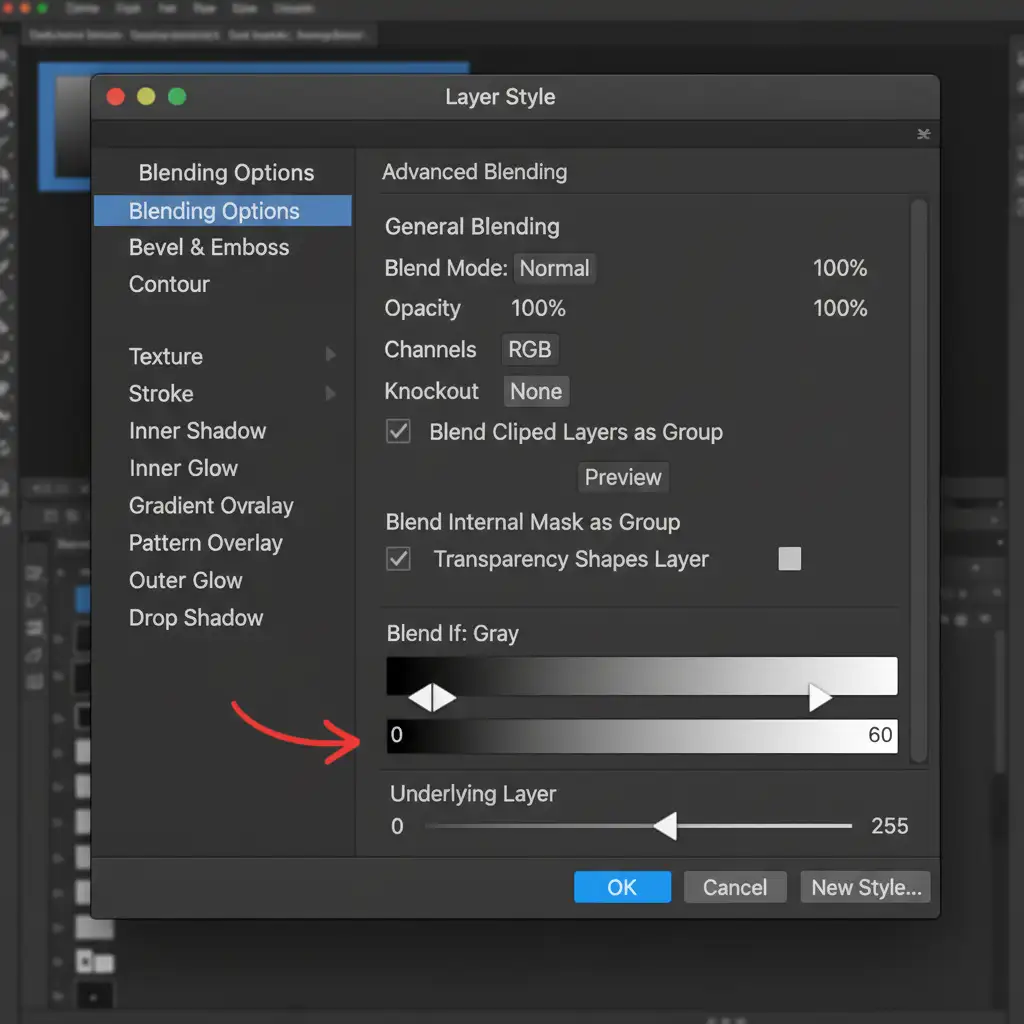
- Double-click the retouching layer to open the Layer Style dialog box.
- Locate the Blend-If section at the bottom.
- Focus on the ‘Underlying Layer’ sliders.
- Hold Alt (or Option on Mac) and click the black shadow slider to split it. Drag the right half toward the midtones.
This technique restricts your edits strictly to the midtones and specular highlights. It acts as a dynamic luminosity mask, ensuring that no matter how much you adjust the lighting, the deep, organic shadow ridges remain pure and untouched.
Stop Sacrificing Texture for Cleanliness
Retouching baroque pearls without losing organic texture requires a delicate balance of technical precision and an artistic eye. While automated tools are getting smarter, they still lack the nuanced understanding required to preserve the micro-contrast of high-end, organic jewelry.
Struggling to balance clean imagery with organic authenticity? You don’t have to spend hours wrestling with Blend-If sliders and complex frequency separation actions.
Hire the elite retouching team at Image Work India & Cloud Retouch. Our specialized jewelry retouchers deliver pixel-perfect, high-end editing that removes the distractions while preserving the true soul and organic luxury of your products. Contact us today for a free trial and see the difference professional non-destructive editing makes for your next campaign.




