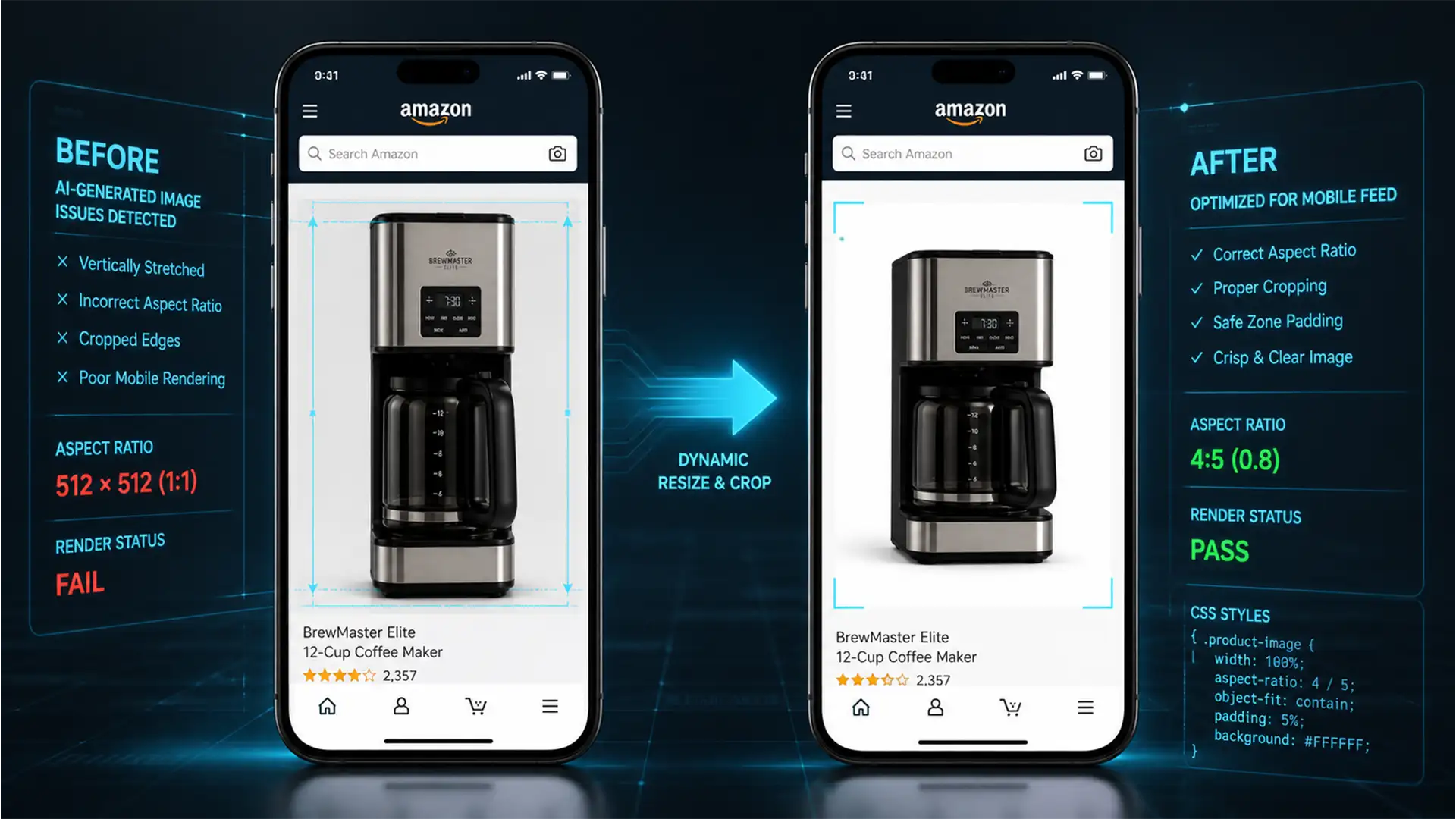

You uploaded a pristine, high-resolution product photo to your listing. On your desktop browser, it looks perfect. But when you check your listing on your smartphone, the primary thumbnail looks horribly distorted, elongated, or aggressively cropped. If you are losing conversions and desperately searching for an Amazon mobile app square image stretched fix, you are not alone.
Since the late 2023 and 2024 updates to the Amazon Shopping app (both iOS and Android), thousands of sellers have watched their standard 1:1 square images fall victim to aggressive mobile feed rendering.
In this technical guide, we will break down exactly why Amazon’s dynamic CSS containers are distorting your images and provide three proven methods to restore your product’s professional appearance.
Why Does the Amazon App Stretch Square Images?
The root cause of this distortion lies in Amazon’s updated mobile UI architecture. The modern Amazon Shopping app utilizes dynamic CSS containers designed to prioritize a vertical browsing experience.
When you upload a strict 1:1 (square) aspect ratio image without adequate negative space, the app’s image rendering engine attempts to force that image into a variable mobile grid. Because Amazon’s content delivery network (CDN) generates multiple image sizes for different device viewports and pixel densities, rigid images fail to scale correctly within these auto-resizing CSS wrappers. The result is an unsightly vertical crop or a stretched product that looks cheap to potential buyers.
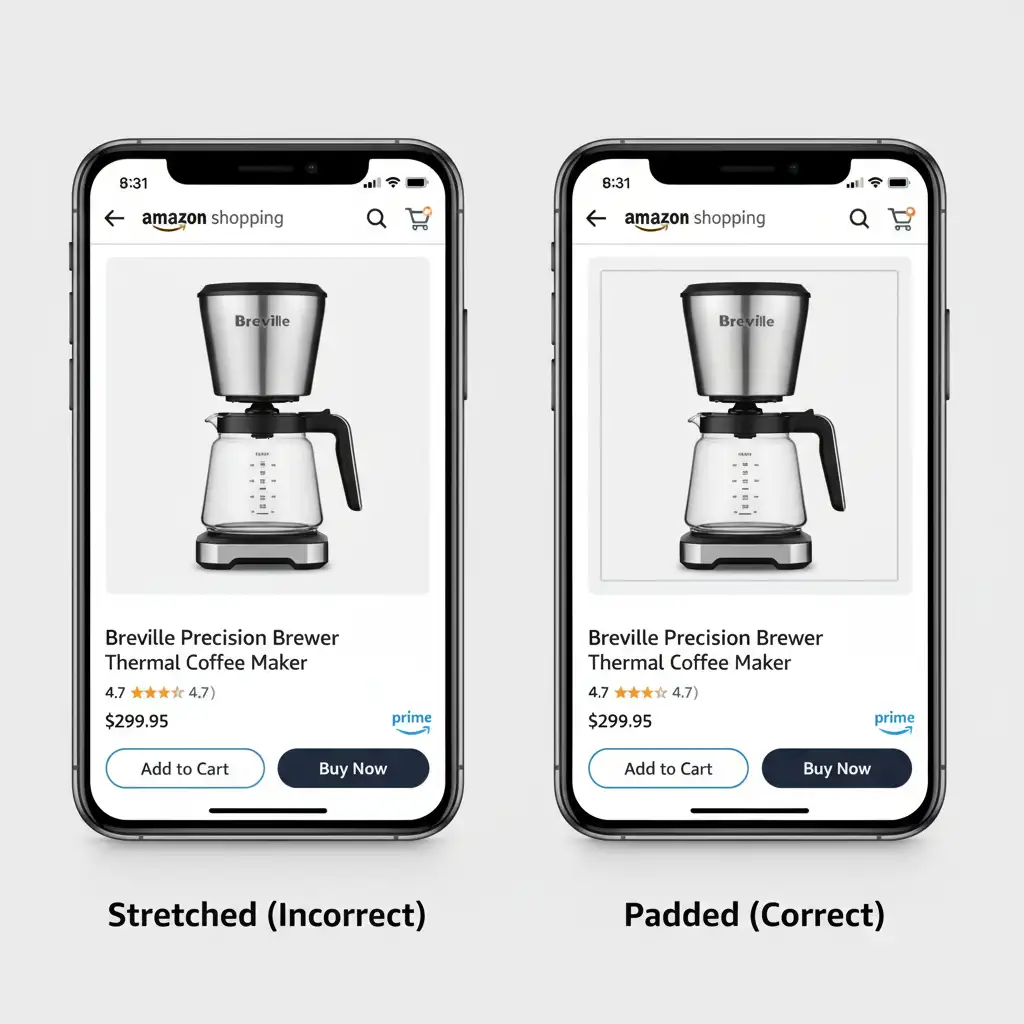
Method A: The Quick Fix (Safe Zone Padding)
The most immediate Amazon mobile app square image stretched fix is to introduce a protective buffer around your core product. By adding negative space, you prevent the app’s CSS wrappers from touching the actual product pixels when it resizes the container.
- Open your image in Photoshop.
- Adjust the Canvas Size: Increase your canvas size by 15 to 20 percent while maintaining the 1:1 aspect ratio. For example, if your standard upload is 2000x2000px, ensure the actual product only occupies the inner 1700x1700px.
- Center the Product: This creates a 15 percent white safe zone padding around the item, acting as a shield against mobile cropping and CSS stretching.
Method B: The Pro Workaround (Mobile-Optimized Ratios)
If you want to future-proof your catalog against ongoing mobile UI changes, you should stop forcing a square format entirely. The Amazon mobile app naturally favors vertical aspect ratios.
Instead of a 1:1 square, convert your hero images to a 5:6 or 4:5 vertical aspect ratio. This aligns perfectly with Amazon’s vertical browsing priority.
To implement this across a large catalog efficiently:
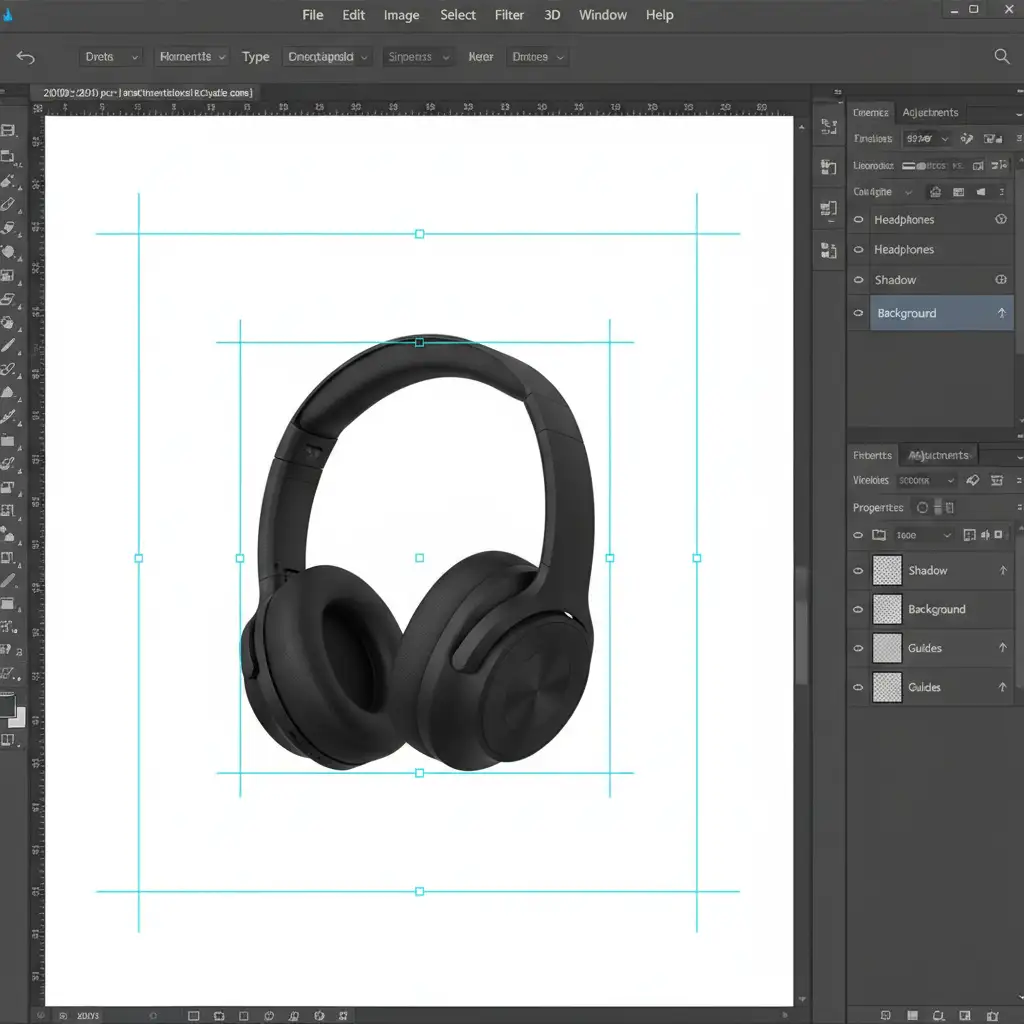
- Create a master template in Photoshop using Smart Objects.
- Set up pre-defined guides for Amazon’s mobile safe zones.
- Drop your existing product photography into the Smart Object layer to instantly batch-process your catalog without losing product proportions.
Method C: The Technical Deep-Dive (Clearing CDN Caching)
Sometimes, you apply the perfect safe zone padding, upload the new image, and the Amazon app still shows the stretched version. This happens due to aggressive CDN caching on Amazon’s edge servers. The system remembers your old, distorted image thumbnail and refuses to update it.
To force Amazon’s servers to re-render your image, follow these highly specific export and upload steps:
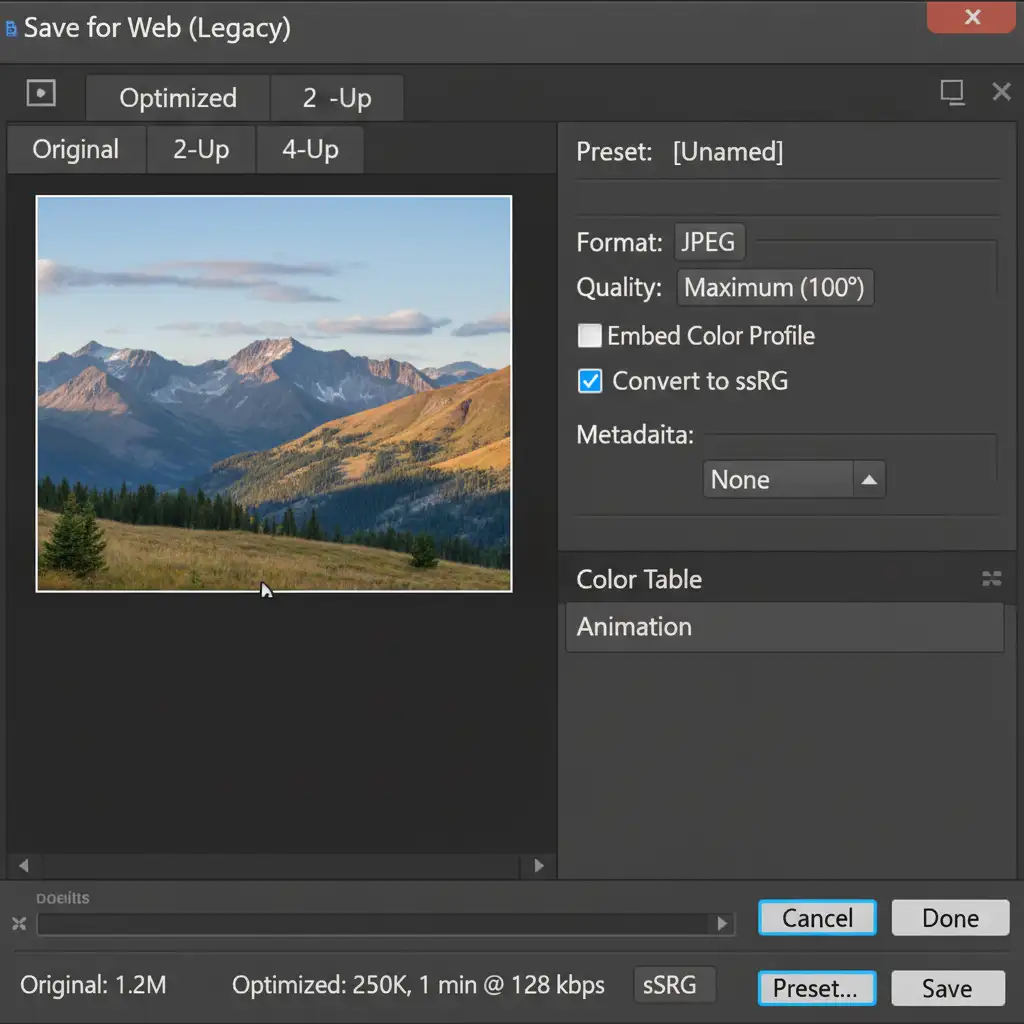
1. Strip EXIF Data and Embed sRGB
Amazon’s compression algorithm can behave unpredictably if your image contains conflicting metadata or CMYK color profiles.
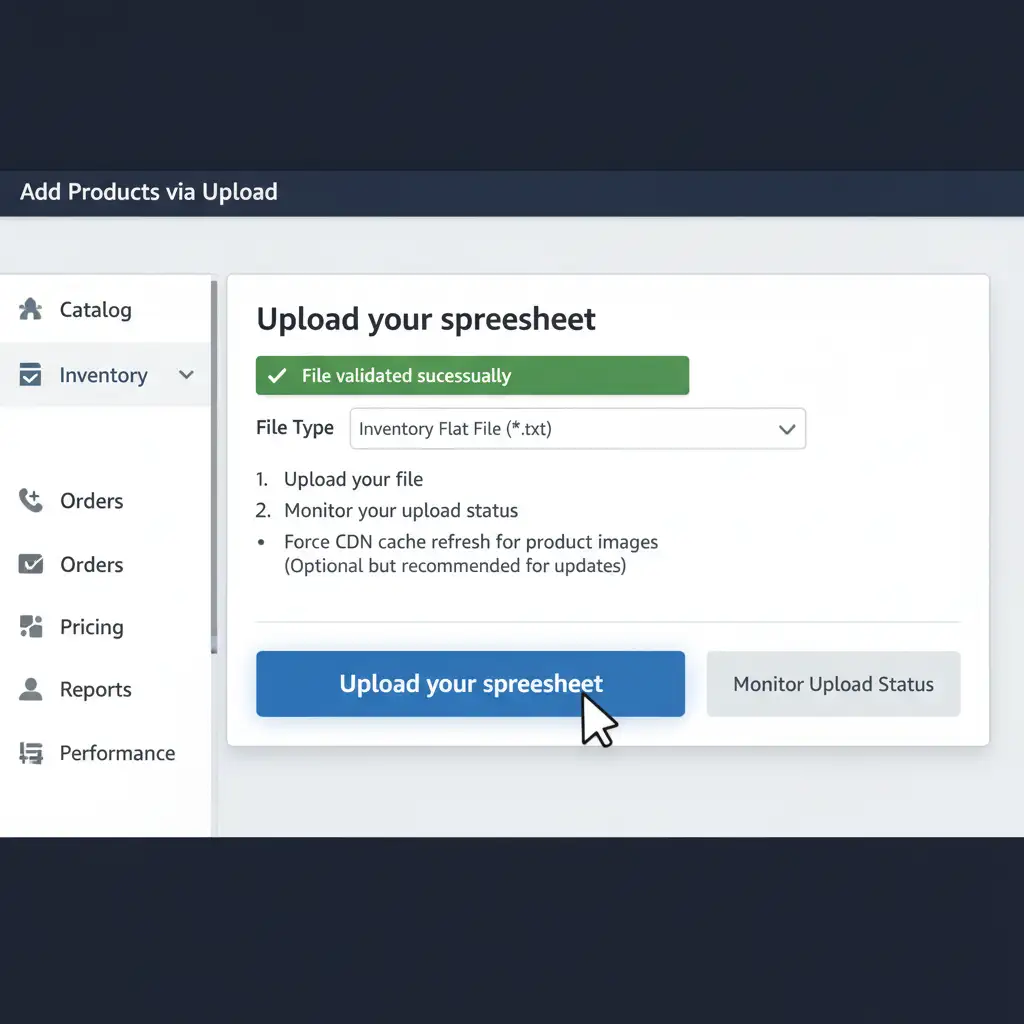
2. Execute a Flat File Upload
Do not use the standard “Manage Inventory” web UI to upload the replacement image. The web UI often fails to override cached files. Instead, use an Inventory Flat File via Amazon Seller Central.
Providing a direct URL to your new, optimized image via a flat file upload forces Amazon’s backend to fetch the new file, triggering a full re-render and successfully overriding the stretched cached version.
Stop Losing Sales to Poor Image Formatting
Navigating aspect ratios, pixel density requirements, and CDN caching issues takes time away from growing your actual business. If your catalog is suffering from the Amazon mobile app square image stretched issue, you don’t have to fix thousands of SKUs manually.
Ensure your Amazon product listings look flawless on every device, capture buyer attention, and maximize conversions. Hire Image Work India and Cloud Retouch for expert eCommerce image optimization, bulk resizing, and professional retouching services today. Our dedicated team of editing professionals understands the exact technical specifications required to make your products shine on Amazon’s mobile and desktop platforms.




