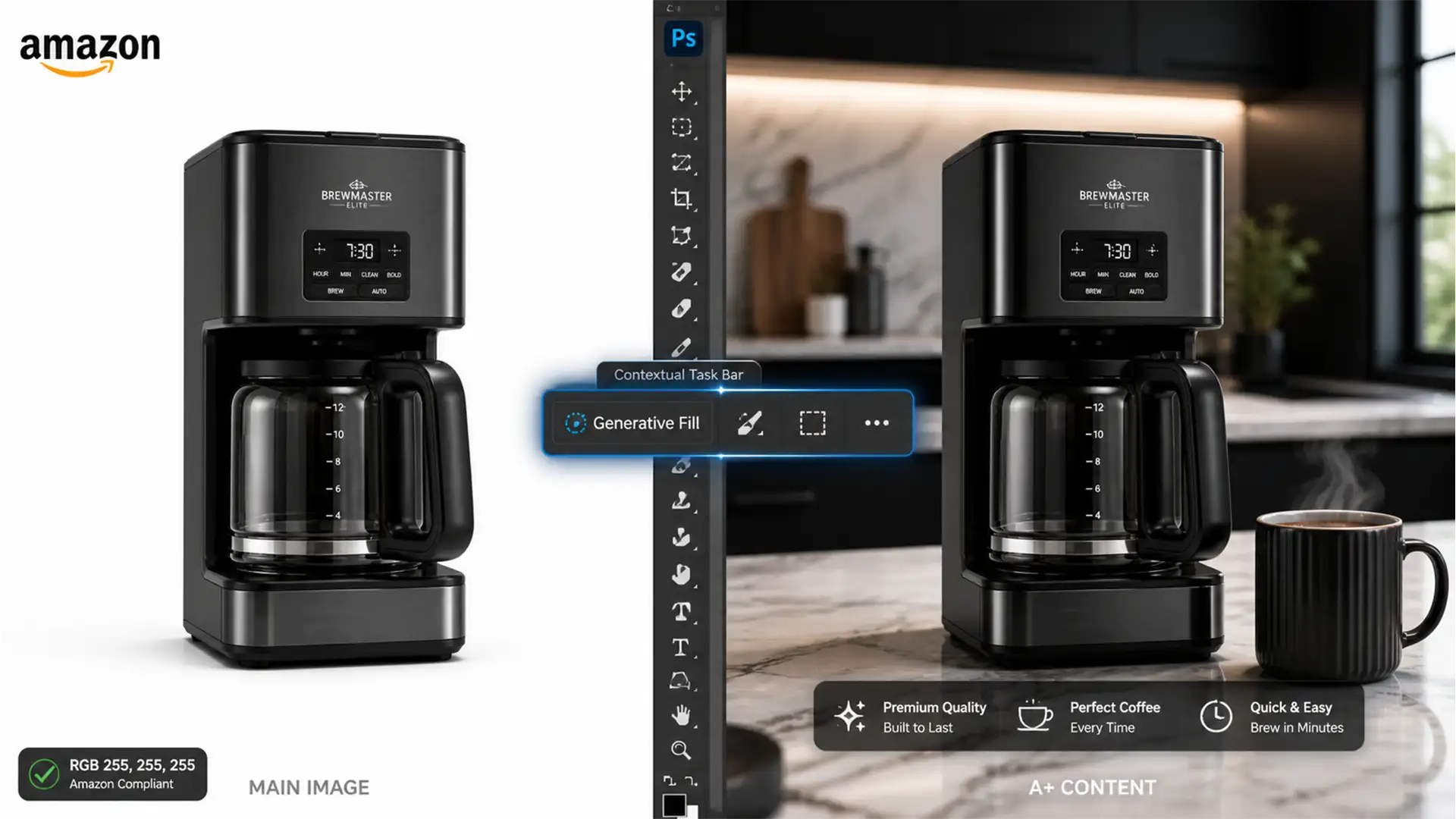

You just spent hours upgrading your product catalog using Photoshop Generative Fill, only to wake up to a nightmare: Amazon suppressed your listings. In 2024, Amazon’s image policies are stricter than ever regarding AI manipulation. While Adobe Firefly Image 3 has revolutionized e-commerce editing, altering your core product or adding AI props to your MAIN image will trigger automated bots and risk your seller account. The secret to using AI safely? Knowing exactly where the technical boundaries lie. Here is how to leverage Generative Fill strictly for lifestyle images and A+ Content without compromising your product’s authenticity.
The 2024 Amazon Image Policy Reality Check
Amazon sellers face a unique technical challenge: balancing the visual appeal required to drive conversions with the strict, unyielding rules of Amazon’s listing bots.
MAIN Image Compliance vs. Secondary Images
For your MAIN image, the rules are absolute. The product must be photographed or rendered on a Pure White Background (strictly RGB 255, 255, 255). You cannot use Generative Fill to add props, change the product’s physical characteristics, or create a stylized background. Doing so guarantees listing suppression.
However, for secondary gallery images and A+ Content, Amazon allows lifestyle backgrounds. This is where Photoshop v25.0 and its Generative Fill capabilities become a massive asset—provided you protect the original pixels of your core product.

How to Safely Use Photoshop Generative Fill for Amazon
To avoid account suspension, your editing workflow must isolate the AI generation entirely from the product itself. Here are the three professional methods to achieve this.
Method 1: Generating Compliant Lifestyle Backgrounds for A+ Content (The Quick Fix)
You can easily upgrade your secondary gallery images by replacing boring backgrounds with high-converting lifestyle scenes.
- Open your standard product photo in Photoshop.
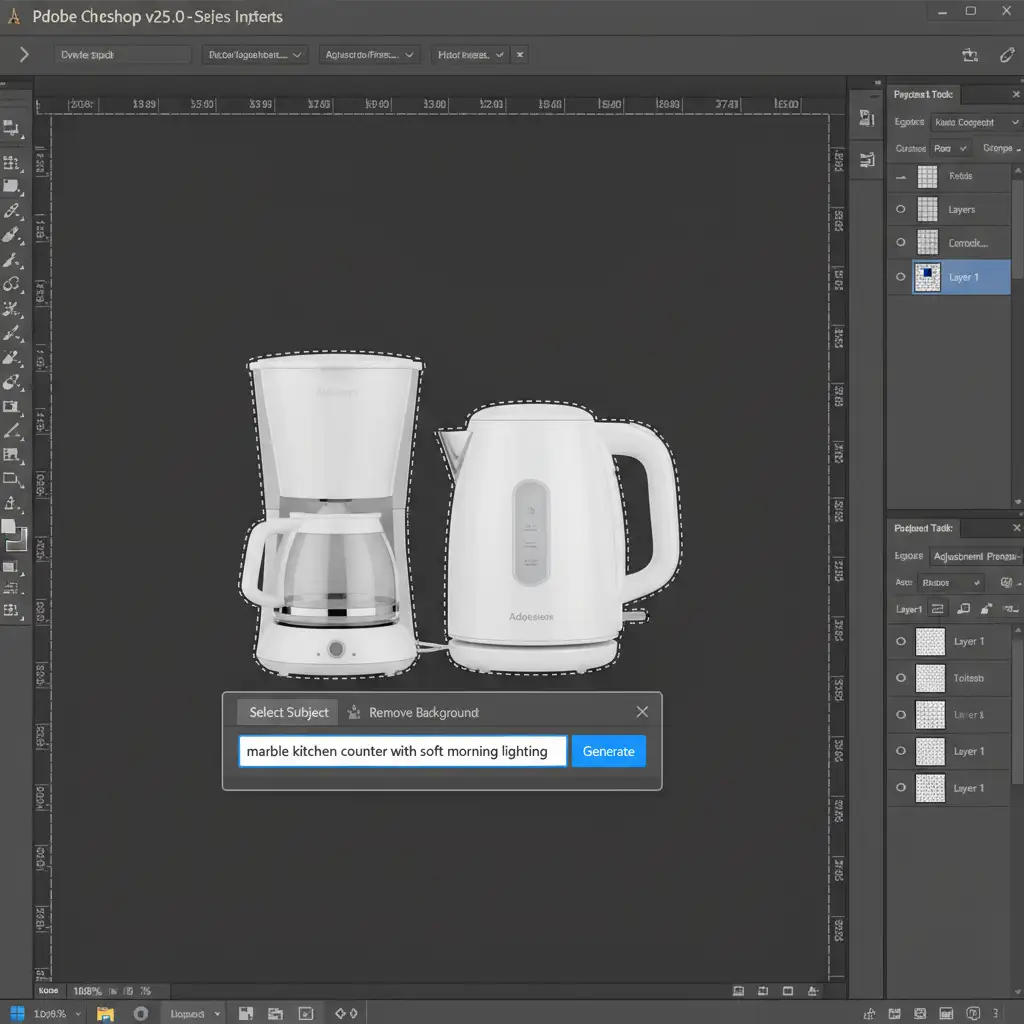
- Select the Object Selection Tool and click on your product to highlight it.
- Invert the selection by pressing Shift + Ctrl + I (Windows) or Shift + Cmd + I (Mac).
- Navigate to the Contextual Task Bar, click Generative Fill, and type a specific lifestyle prompt (e.g., “marble kitchen counter with soft morning lighting”).
- Click Generate.
This method keeps the product intact while entirely replacing the environment, perfect for A+ Content modules.
Method 2: Protecting Product Pixels with Smart Objects and Masks (The Pro Workaround)
When dealing with complex edges or transparent materials, the Quick Fix isn’t enough. You must ensure the AI doesn’t accidentally overwrite the edges of your actual product.
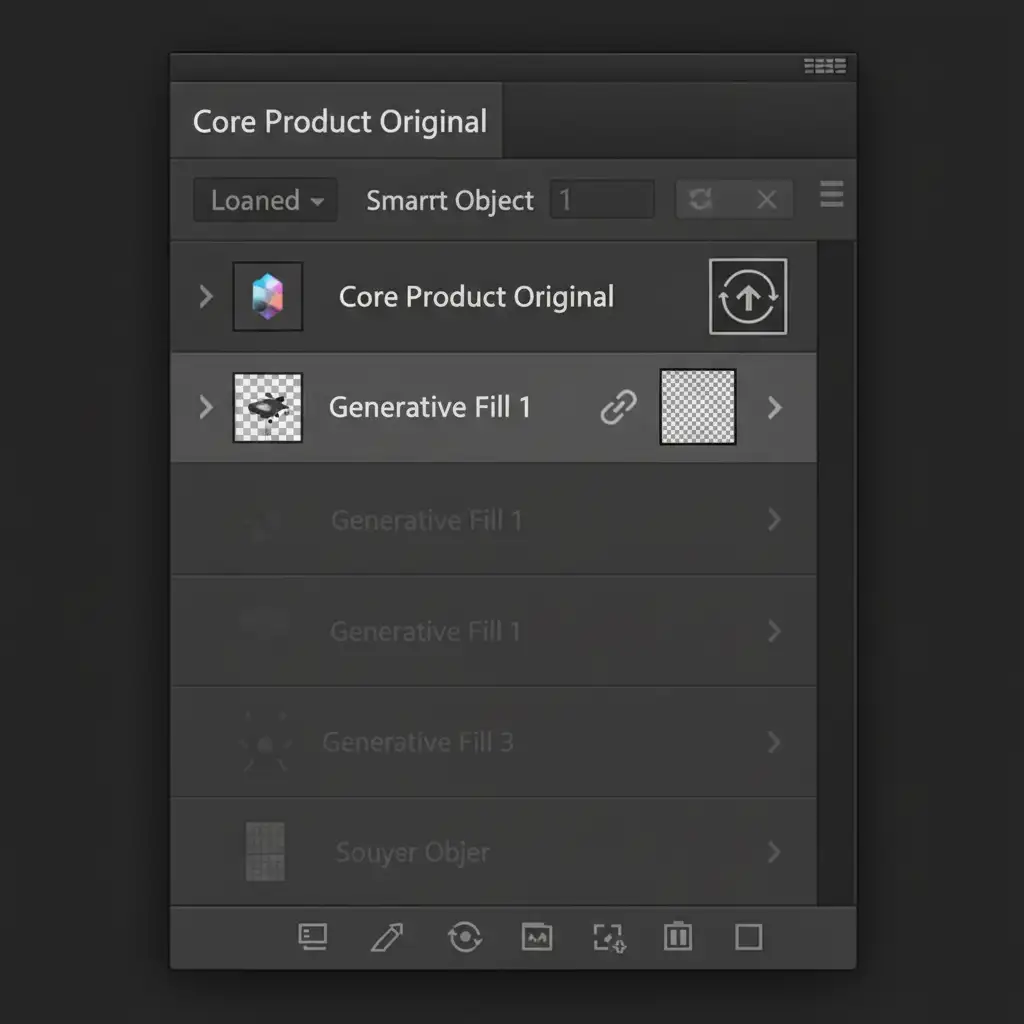
- Convert to Smart Object: Before doing anything, right-click your original product layer in the Layers Panel and select Convert to Smart Object. This locks and protects the original pixels.
- Generative Expand: If you need to fix aspect ratios to meet Amazon’s 1:1 or 16:9 requirements, use the Crop tool and Generative Expand.
- Layer Masking: Ensure the new AI-generated layer is positioned below your Smart Object product layer. If the AI hallucinates artifacts that overlap the product, apply a Layer Mask to the Generative layer and paint with a black brush to hide the errors, ensuring the core product remains 100% authentic.
Method 3: Realistic Cast Shadows and Content Credentials (The Technical Deep-Dive)
Amazon requires realistic lighting even on pure white backgrounds. Floating products look unnatural and can be flagged.
If you have extracted a product to place on a pure white background, create a rough selection under the base of the product. Use Generative Fill with the prompt “realistic drop shadow”. This utilizes Adobe Firefly Image 3 to calculate accurate lighting based on the product’s shape.
Managing Content Credentials
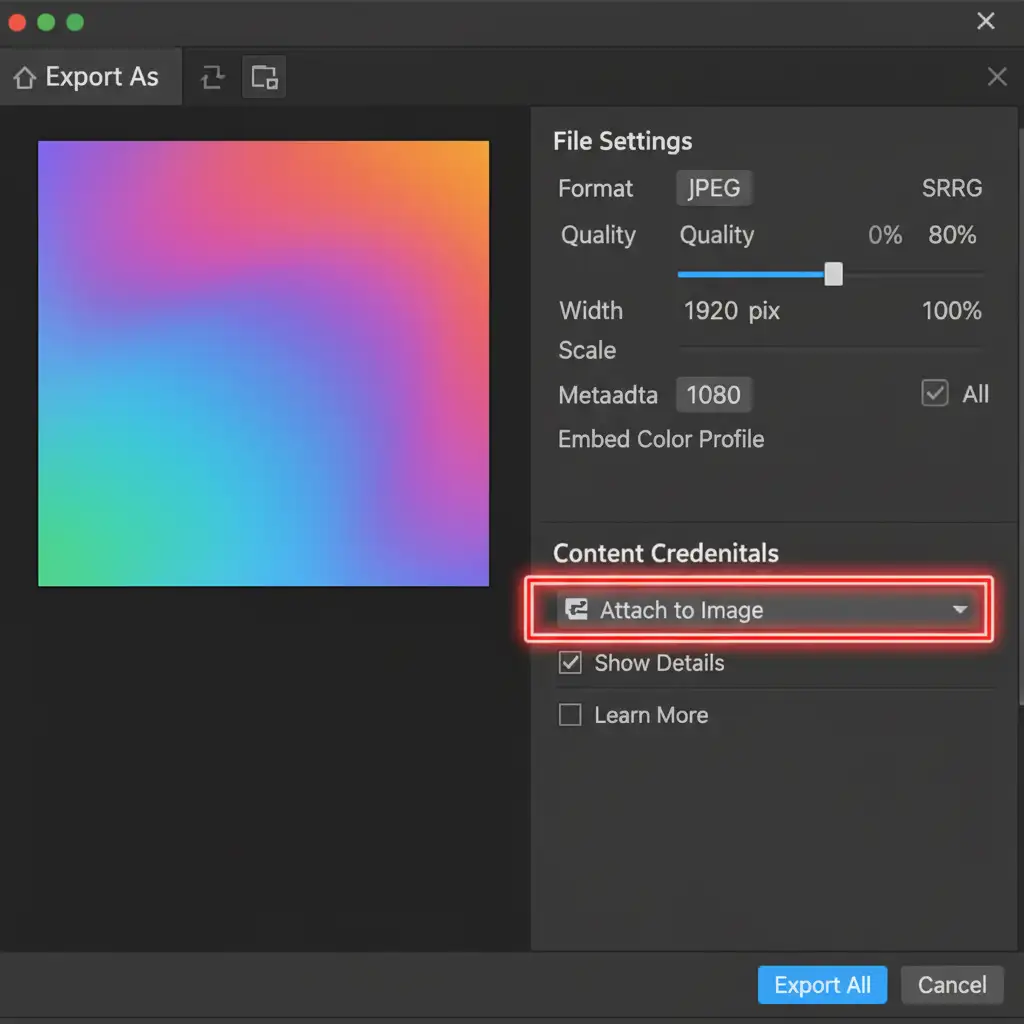
Amazon’s automated bots actively scan metadata. To maintain transparency and avoid automated AI-detection flags, you must manage your export settings properly.
- Go to File > Export > Export As.
- Look for the Content Credentials section.
- Ensure your settings are configured to attach credentials appropriately, showing that while generative AI was used, the core image remains a photograph.
Don’t Risk Your Amazon Seller Account
Navigating the fine line between high-converting imagery and strict Amazon compliance is a full-time job. One wrong use of Photoshop Generative Fill can result in a suppressed listing, lost rankings, and plummeting sales.
You don’t have to navigate this technical minefield alone. At Image Work India and Cloud Retouch, our expert retouching teams specialize in 100% policy-compliant, high-converting Amazon product photos. From flawless Pure White Background extraction to stunning, AI-assisted A+ Content that strictly adheres to Amazon’s 2024 guidelines, we handle the heavy lifting so you can focus on scaling your brand.
Ready to upgrade your product catalog without the risk? Contact Image Work India and Cloud Retouch today for professional e-commerce image editing services.




