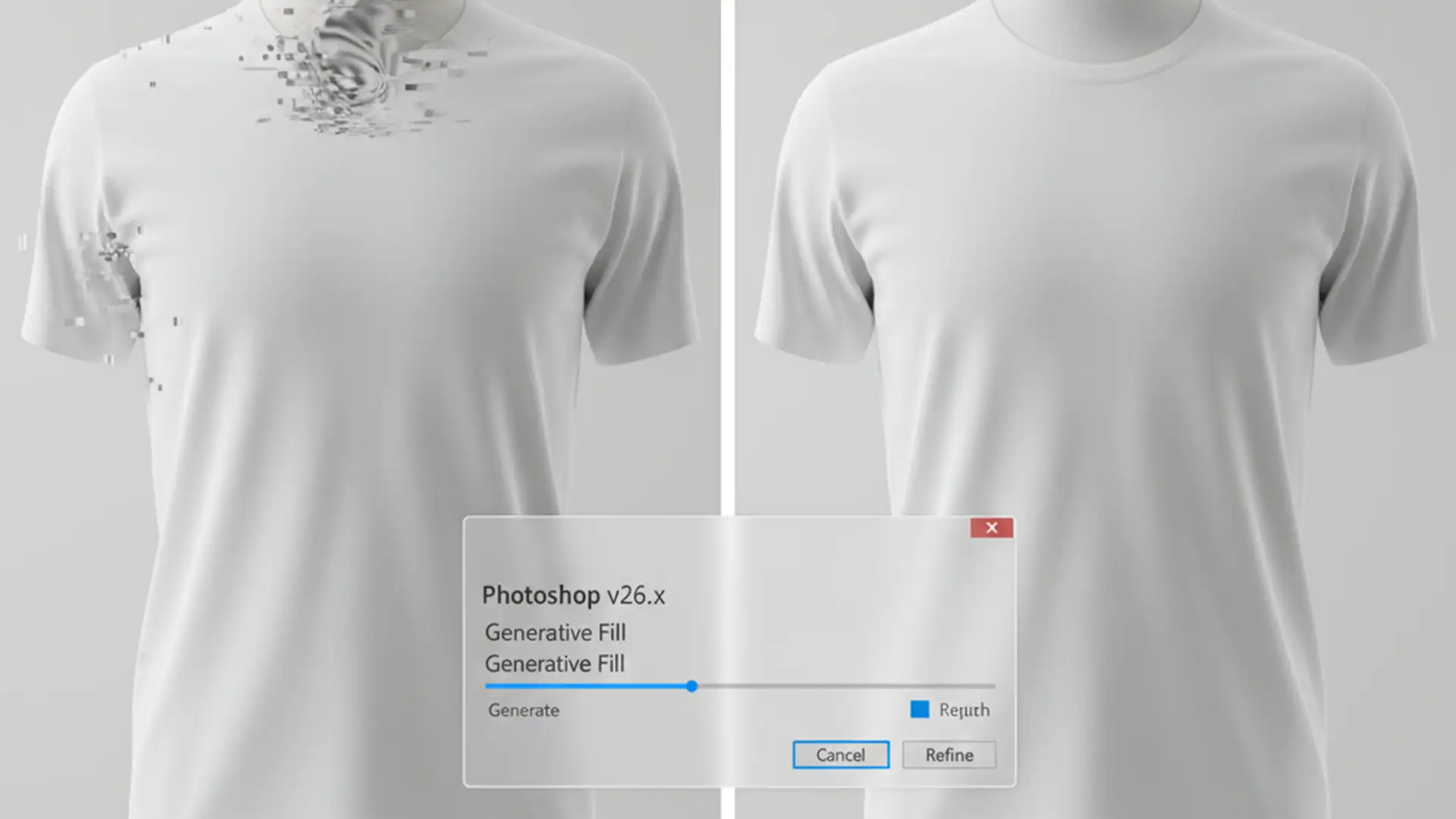

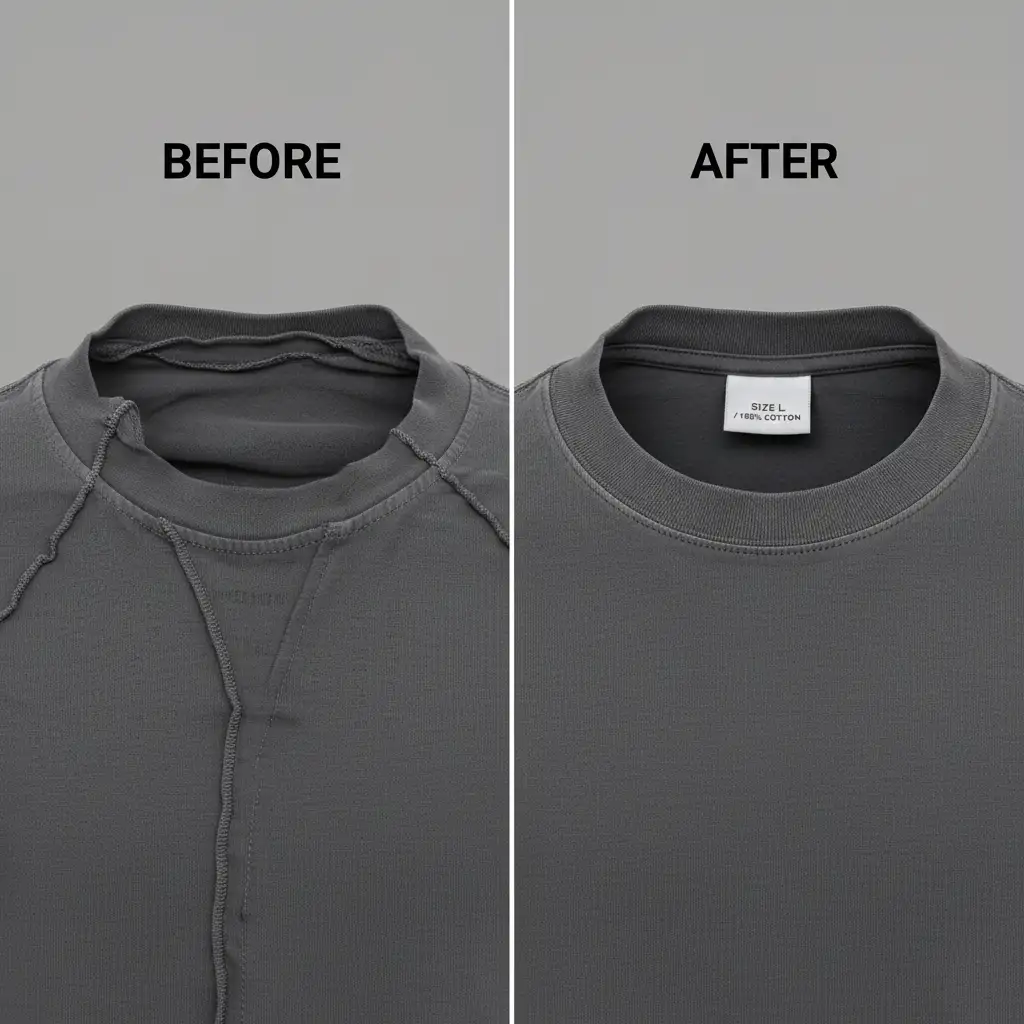
E-commerce retouchers rejoiced when Adobe introduced Generative Fill. But if you’re using Photoshop v25.0 or v26.x to automate the ghost mannequin effect, you’ve likely hit a frustrating wall. Instead of a clean, invisible neck joint, the AI often hallucinates warped textures, extra seams, and anatomically impossible shadows.
These AI artifacts lead to high rejection rates in professional e-commerce quality control. When bulk editing apparel, you cannot afford to waste time cycling through endless variations hoping the software guesses correctly. Here is exactly why the AI fails, and the professional workflows you need to fix Photoshop Generative Fill ghost mannequin artifacts for good.
Why Photoshop Struggles with the Ghost Mannequin Effect
The core issue with automating the ghost mannequin effect lies in how the Adobe Firefly Image 2 and Firefly Image 3 Models process data. Generative Fill is incredible at replacing skies or removing objects, but it lacks 3D spatial awareness regarding garment structure.
When you highlight the empty space of a collar and hit “Generate,” the AI struggles to understand inner collar perspective and fabric physics. It doesn’t know where the brand label should sit or how the back of the garment drops into shadow. The result? Weird, melty fabric textures that instantly flag your images as amateur.
To achieve flawless, retail-ready results, you must switch from a fully automated mindset to a hybrid editing workflow.
3 Professional Methods to Fix AI Artifacts
Method 1: The Modular Generative Fill Approach (The Quick Fix)
The biggest mistake retouchers make is selecting the entire empty neck space at once. By forcing the AI to generate the entire back of the shirt, you invite massive hallucination errors.
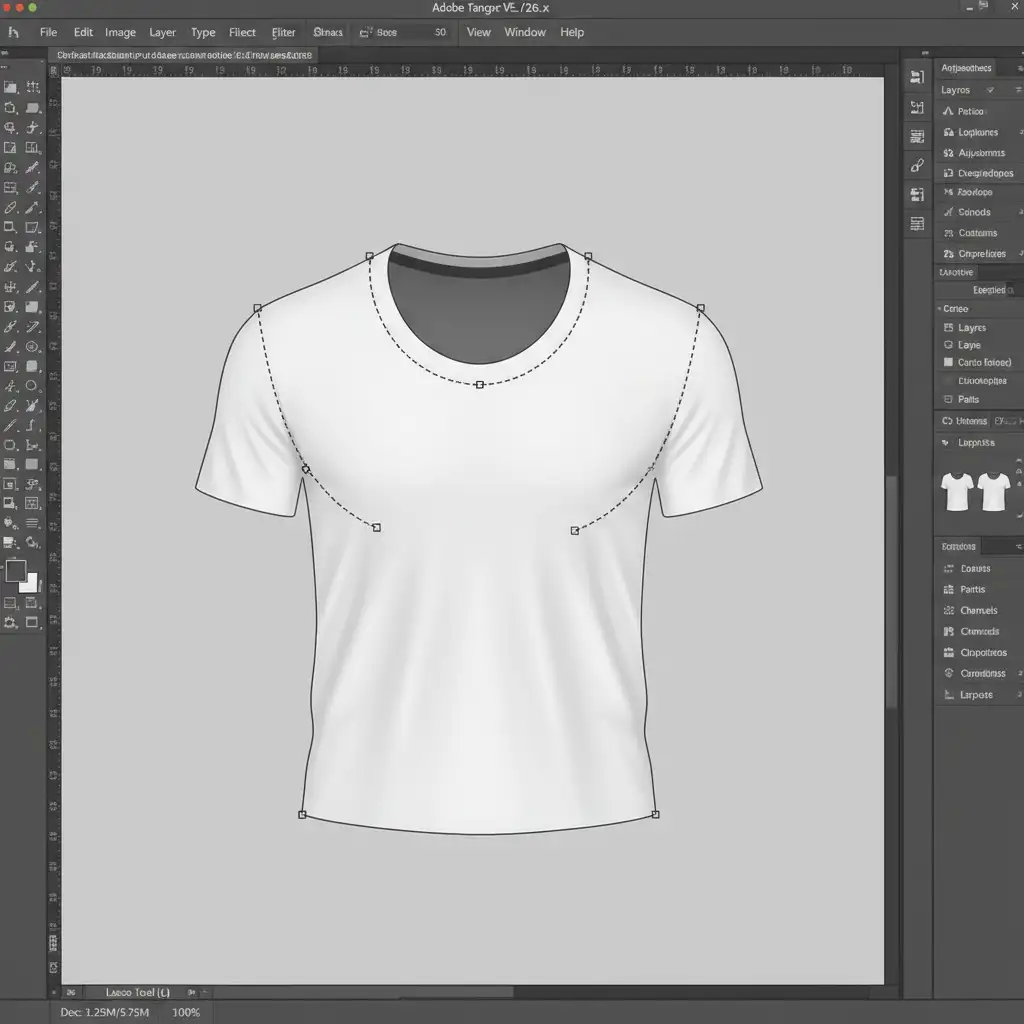
Instead, use the Lasso Tool to select smaller, modular sections—specifically the micro-seams where the front and back pieces meet.
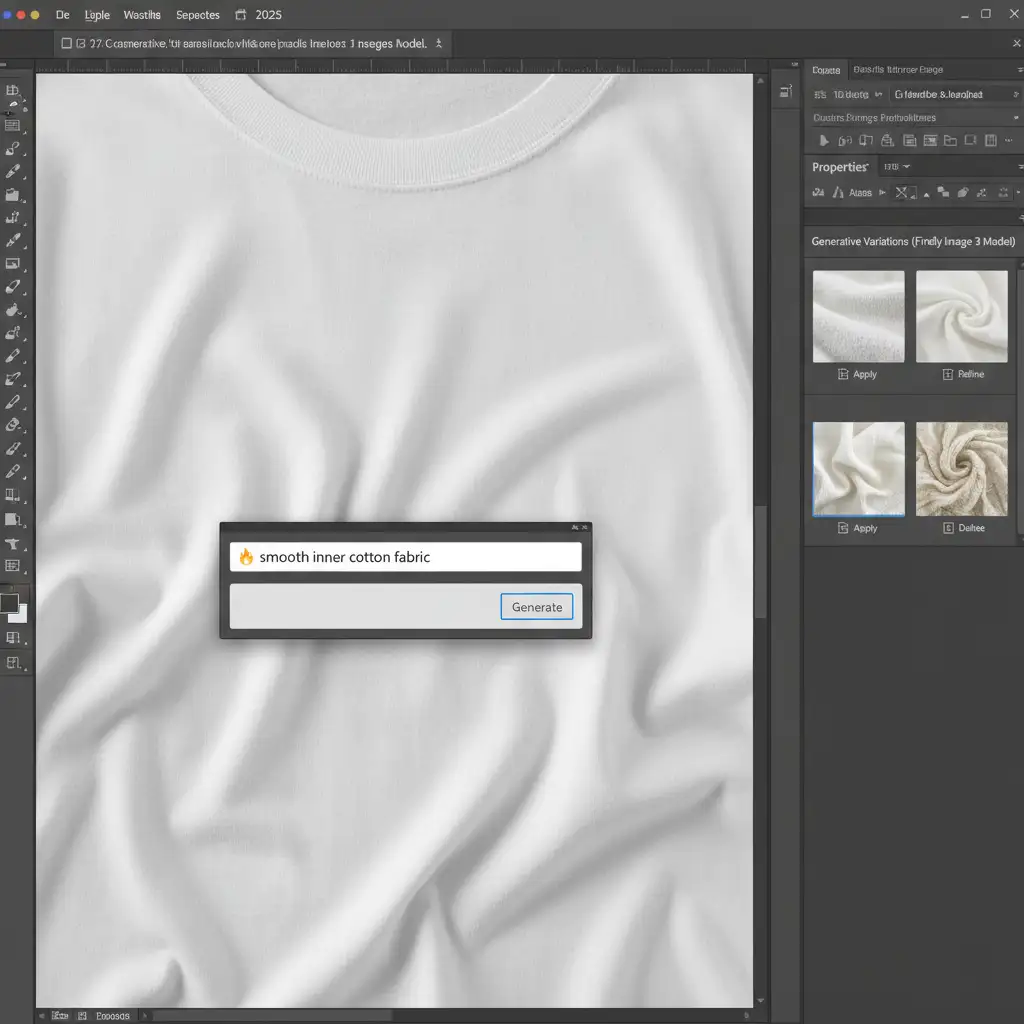
Once your localized selection is made, do not leave the text prompt blank. Apply Generative Fill with highly specific prompts like “smooth inner cotton fabric” or “dark shadow fabric fold.” This constrains the Firefly Image 3 Model, forcing it to focus purely on texture matching rather than structural invention. Cycle through the Variations panel to find the most accurate fabric grain.
Method 2: The Hybrid Manual Composite (The Pro Workaround)
For high-end e-commerce catalogs, ditch AI for the main structure entirely. The most reliable way to guarantee accurate brand label placement and inner collar perspective is through traditional manual compositing.
- Extract the Garment: Cut out the main product and the back neck shot (inlay) using a precise Clipping Path.
- Position the Inlay: Place the back neck shot behind the main garment layer.
- Blend the Edges: Use Generative Fill strictly on the micro-seams where the front and back pieces intersect.
- Refine Non-Destructively: Apply a soft-edge Layer Mask and use the Brush Tool to manually paint in shadows and ensure seamless integration.
This non-destructive editing workflow guarantees the garment’s true structure remains intact while utilizing AI only for tedious edge blending.
Method 3: Restoring Fabric Texture with Frequency Separation (The Technical Deep-Dive)
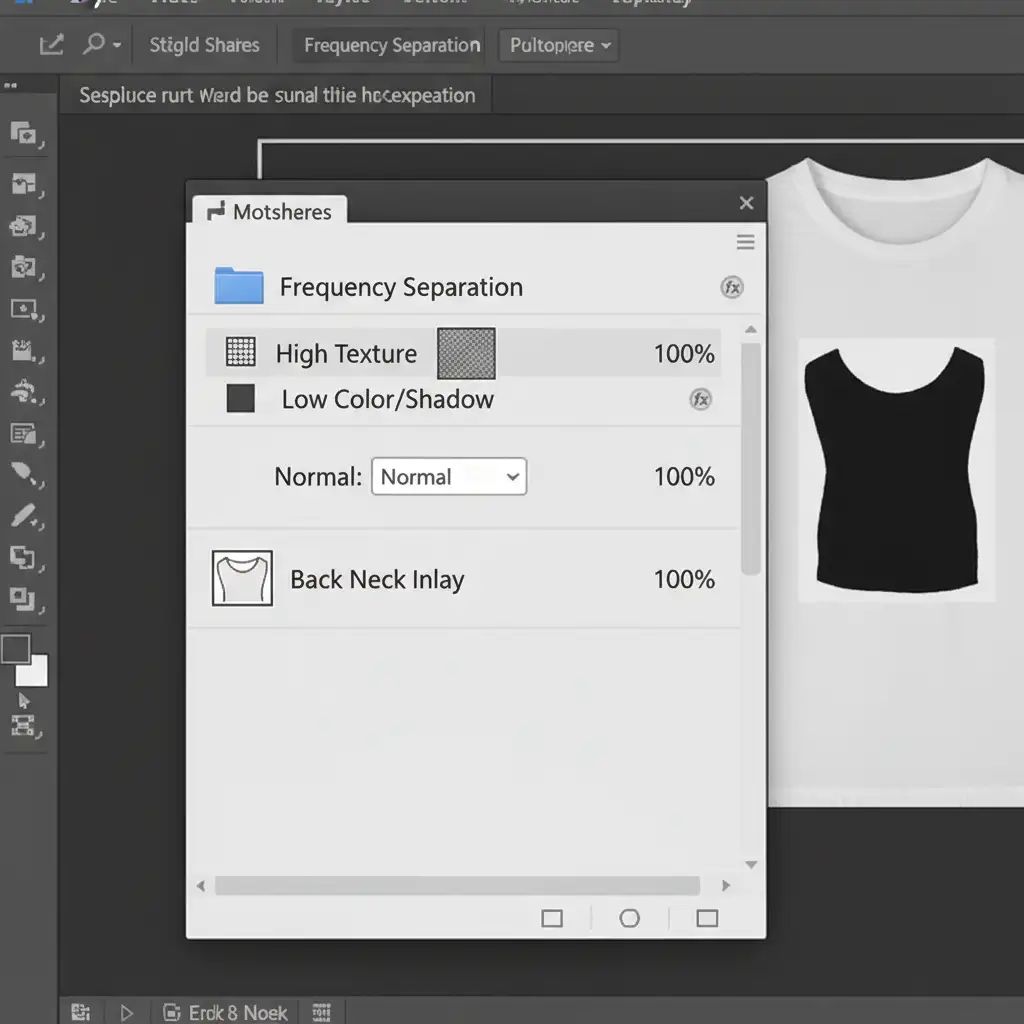
Even when Generative Fill creates a structurally sound neck joint, it often leaves behind blurry patches that lack the garment’s natural threading. To fix this, you must deploy Frequency Separation.
Frequency separation splits your image data into two distinct layers: High Frequency (texture/grain) and Low Frequency (color/shadows).
If the AI has ruined the fabric texture:
- Set up your Frequency Separation folder structure.
- Select the Clone Stamp Tool.
- Target your High-Frequency layer.
- Sample a clean, highly textured area from the physical body of the garment.
- Stamp this real texture directly over the blurry AI artifacts.
Because you are only cloning texture (and not color), the shadows and highlights of the neck joint remain perfectly preserved, but the realistic threading and grain are instantly restored.
Stop Fighting AI: Scale Your E-commerce Production
While Adobe’s AI tools are advancing rapidly, they are not a magic bullet for complex apparel photography. Fixing Photoshop Generative Fill ghost mannequin artifacts requires a deep understanding of layer masking, clipping paths, and fabric physics. When you are processing hundreds or thousands of SKUs for a seasonal launch, manual artifact correction will severely bottleneck your production pipeline.
You don’t have to choose between speed and quality. Ensure your e-commerce catalogs meet strict global retail standards by partnering with the experts. Image Work India and Cloud Retouch specialize in high-volume, flawless, artifact-free ghost mannequin editing.
Stop wrestling with AI hallucinations. Let our team of professional retouchers deliver pixel-perfect neck joints, accurate color matching, and natural fabric flow at scale. Contact Image Work India and Cloud Retouch today to streamline your post-production workflow.




