

You’ve just spent hours shooting a multi-image macro sequence of a stunning diamond ring. The lighting was flawless. But when you run the images through Photoshop or Helicon Focus, disaster strikes. Instead of crisp, brilliant facets, your final image is plagued by massive, smeared purple and green halos.
This is the nightmare of macro lens dispersion. When highly reflective jewelry meets focus stacking algorithms, minor color shifts are amplified into uncorrectable structural artifacts. If you are struggling with fixing macro chromatic aberration in jewelry focus stacks, you need to change your workflow. The secret isn’t in the stack—it’s in the pre-stacking raw processing.
Here is the definitive guide to eliminating color fringing before it ruins your high-resolution jewelry photography.
Why Focus Stacking Amplifies Color Fringing in Jewelry
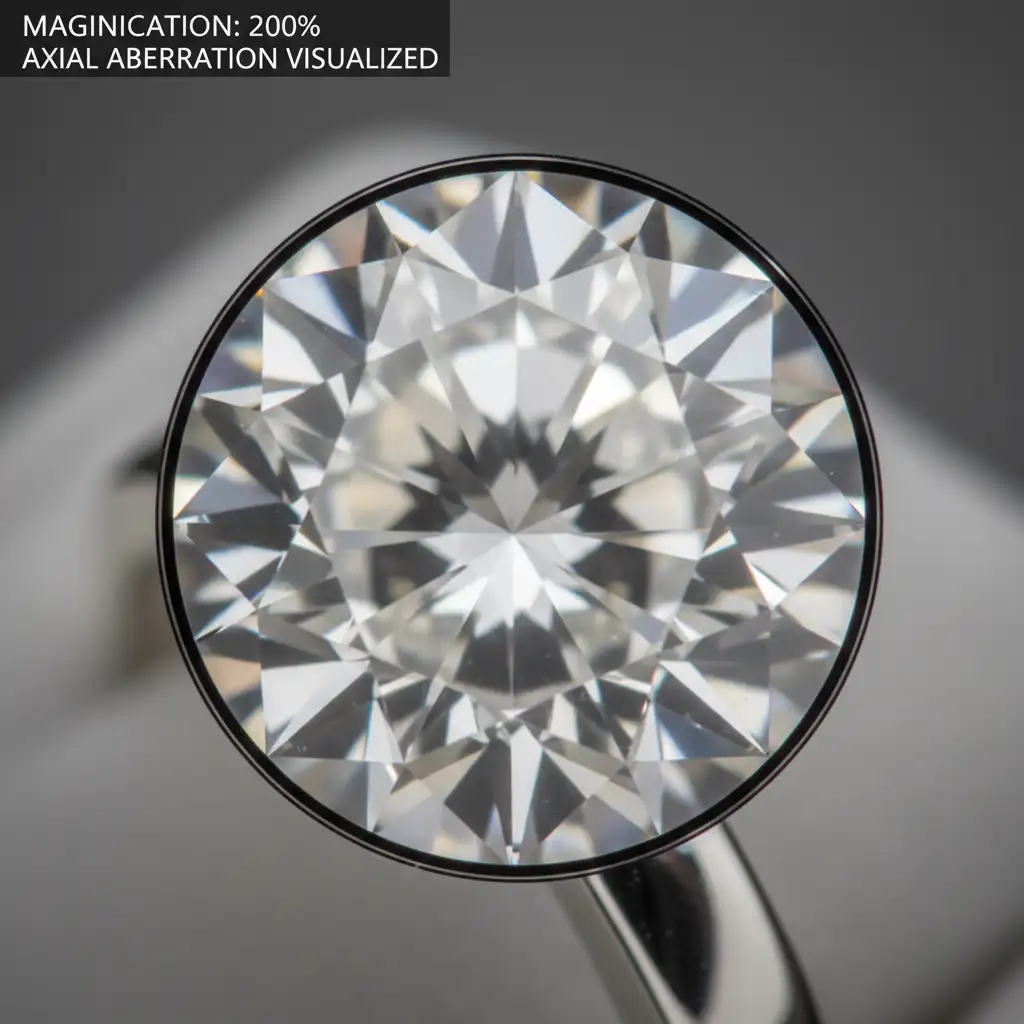
To understand the fix, you must understand the flaw. When capturing macro photography of highly reflective subjects like diamonds, silver, or platinum, axial aberration and transverse chromatic aberration (CA) are highly magnified. This happens because different wavelengths of light refract at slightly different angles as they pass through the glass elements of your macro lens.
When you feed these raw files into focus stacking algorithms—whether in Photoshop (v25+) or dedicated software like Helicon Focus—the software analyzes contrast to determine which pixels are in focus. Unfortunately, the blending algorithm often misinterprets these high-contrast purple and green color shifts as actual structural details of the gemstone.
The result? The algorithm smears the minor color fringing across multiple frames, creating massive, uncorrectable halos. To solve this, you must apply optical corrections before the images are rendered into a final stack.
The Pre-Stacking Optics Workflow: Fixing the Root Cause
The most effective way of fixing macro chromatic aberration in jewelry focus stacks is to neutralize the color shifts at the raw processing level.
Method 1: The Quick Batch Processing Fix (Lightroom / ACR)
For minor transverse aberrations, automated lens corrections are often enough to clean up the edges.
- Open your raw sequence in Adobe Lightroom Classic or Adobe Camera Raw (ACR).
- Select all the raw files in your sequence to prepare for batch processing.
- Navigate to the Lens Corrections panel.
- Check the boxes for Remove Chromatic Aberration and Enable Profile Correction.
- Sync these settings across the entire batch before exporting the frames to your stacking software.
Method 2: The Pro Manual Defringe Tool Technique
Diamonds and highly refractive gemstones often exhibit severe axial aberration that automated profiles cannot catch. For this, you need manual intervention.
- In Lightroom Classic, select the single frame in your sequence with the most severe color fringing.
- Zoom in to exactly 200% on the worst offending diamond facet.
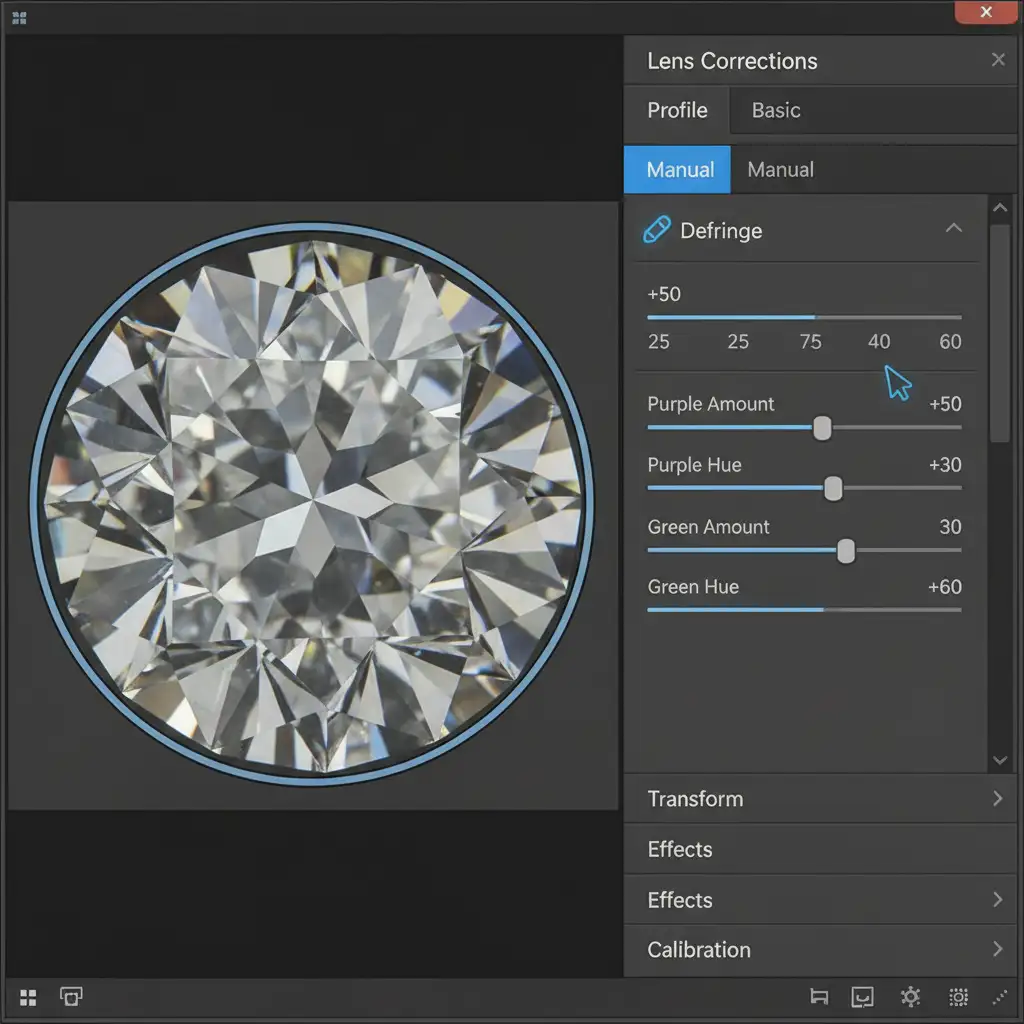
- Open the Lens Corrections panel and navigate to the Manual tab.
- Select the Defringe Eyedropper Tool.
- Carefully click directly on the exact purple and green halos to sample the specific hues.
- Fine-tune the Amount and Hue sliders until the fringe completely disappears without desaturating the natural “fire” of the diamond.
- Synchronize this manual defringe setting across all images before initiating the stack.
Post-Stack Cleanup: Advanced Luminosity Masking in Photoshop
Even with perfect raw preparation, complex multi-point lighting setups can occasionally cause minor artifacts to survive the Helicon Focus or Photoshop stacking process. When this happens, you need a precise post-stack fix.
If minor halos remain, do not try to paint them out with the clone stamp. Instead, use targeted edge desaturation combined with luminosity masking:
- Open your final, stacked image in Photoshop (v25+).
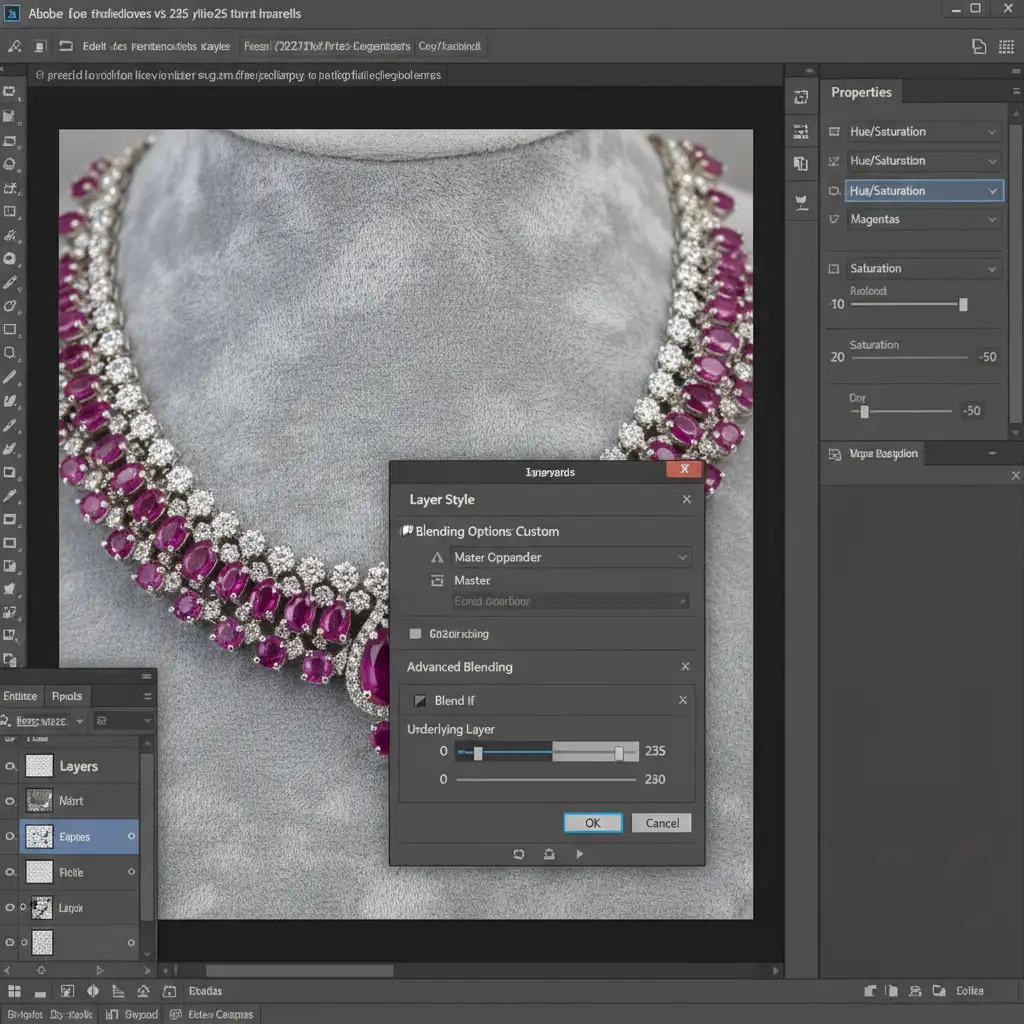
- Add a Hue/Saturation adjustment layer.
- Change the target channel from ‘Master’ to Magentas (or Greens, depending on the halo).
- Drop the saturation slider down to neutralize the color.
- The Secret Step: Double-click the adjustment layer to open the Layer Style dialog.
- Use the Blend If sliders (Underlying Layer) to restrict this desaturation strictly to the fringed mid-tone edges. Hold Alt (or Option) to split the sliders for a smooth transition. This preserves the natural, brilliant fire of the gemstone while exclusively killing the aberration.
Stop Fighting Aberrations: Let Image Work India & Cloud Retouch Help
Fixing macro chromatic aberration in jewelry focus stacks requires a deep understanding of optics, precise batch processing, and advanced Photoshop masking. When you are managing high-volume e-commerce shoots or high-end editorial campaigns, spending hours manually defringing and masking individual gemstone facets simply isn’t scalable.
That’s where we come in.
At Image Work India and Cloud Retouch, our team of expert retouchers specializes in high-end jewelry editing. We understand the complex interplay between macro lens dispersion and focus stacking algorithms. Whether you need flawless focus stacking, complex luminosity masking, or perfect color correction to make your diamonds shine without any halos, we have the technical expertise to deliver pixel-perfect results.
Struggling with flawless jewelry focus stacks? Stop wasting hours on tedious post-production. Contact Image Work India and Cloud Retouch today, and let our experts handle the complex masking and retouching so you can get back behind the camera.




